
July 23, 2026
How to Build an ASO Strategy: A Step-by-Step Framework for 2026
Since search drives 70% of App Store discovery, with 65% of downloads happening immediately after a query, ASO is critical to your bottom line. Yet most teams treat it as a one-time launch checklist rather than a continuous optimization engine. A structured ASO strategy closes that gap, and it remains the highest-leverage growth work you can execute without paid spend. Here’s a quick look at what this guide covers:
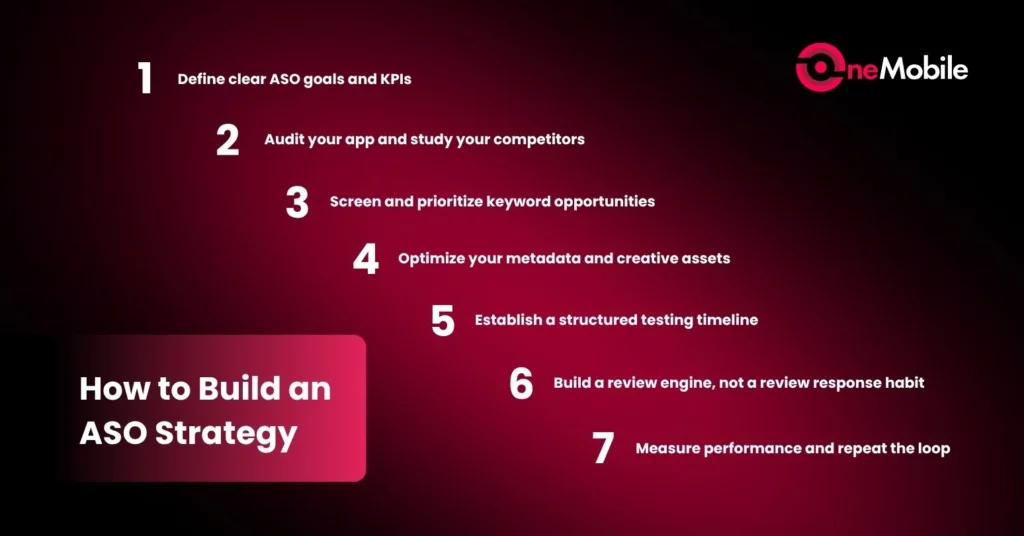
- Step 1: Define clear ASO goals and KPIs
- Step 2: Audit your app and study your competitors
- Step 3: Screen and prioritize keyword opportunities
- Step 4: Optimize your metadata and creative assets
- Step 5: Establish a structured testing timeline
- Step 6: Build a review engine, not a review response habit
- Step 7: Measure performance and repeat the loop
What Makes an ASO Strategy Different from Just “Doing ASO”
While the goal of ASO is always to drive visibility and conversions, simply ticking off tasks – like updating keywords or swapping screenshots – doesn’t mean you have a strategy. Without a structured framework, it’s easy to fall into the “busywork trap”: running isolated experiments without a system to prove what actually moved the needle.
The distinction between the two is simple but sharp:
- ASO Tactics tell you what to change (e.g., rewriting a subtitle or refreshing an image).
- ASO Strategy dictates why, when, and in what exact sequence to execute those changes.
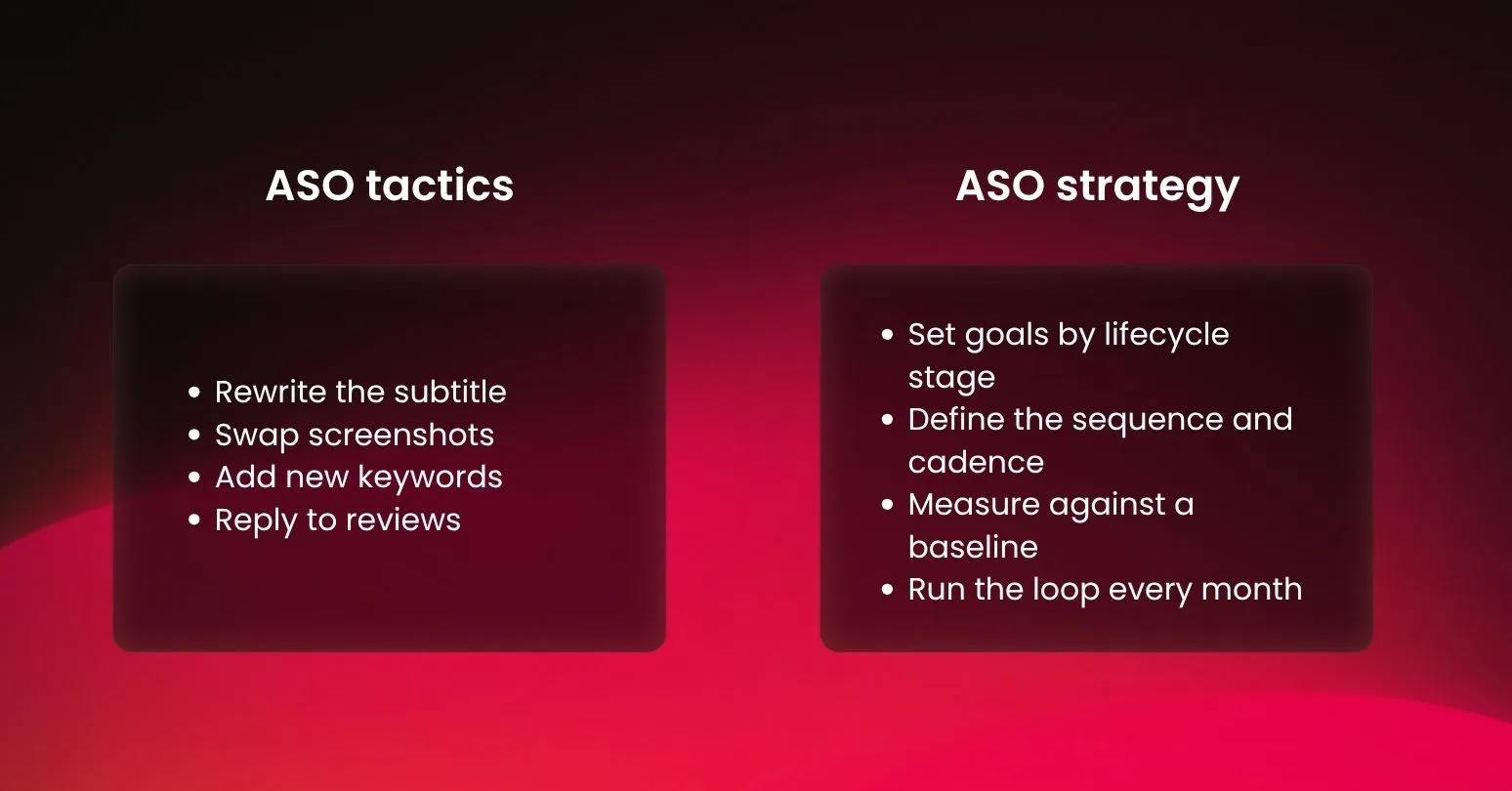
Ultimately, without a strategy, every update is just a guess. But with one, those same actions become a repeatable, data-driven engine that turns store traffic into compounding organic growth.
How to Build an ASO Strategy in 7 Steps
Most often, an ASO strategy comes together in seven steps:
Step 1: Define clear ASO goals and KPIs
First and foremost, your KPIs must align strictly with your app’s current lifecycle stage. Setting the right targets ensures you focus only on metrics you can actually move, giving you a clear benchmark to judge your success.
- New Apps (Focus on Visibility): Your primary goal is driving organic installs. Start by tracking search impressions and keyword rankings for long-tail terms. Aiming for the top 10 on low-competition searches builds the download velocity required to compete for high-traffic terms later.
- Established Apps (Focus on Conversion & Efficiency): Shift your focus toward conversion rate optimization (CVR). Strong organic rankings naturally yield a “halo effect”—lowering your cost per install (CPI) on paid campaigns because your store page converts incoming traffic much better.
Once you identify your stage, turn that focus into a specific metric with a strict deadline. The safest approach is to use your historical data as a baseline and category benchmarks as an external reference. Merging these two data points ensures your targets are both realistic and competitive.
To track progress against those targets, split your metrics into two groups: visibility (impressions, keyword rankings) and conversion (CVR, rating and review velocity). Keeping them separate makes diagnosis straightforward — if impressions are rising but installs are flat, the problem is your creative or ratings; if impressions are flat, the problem is metadata indexing.
Step 2: Audit your app and study your competitors
Before changing a single line of metadata, you must audit your own listing alongside your top competitors. This step ensures you protect what is already working and identify immediate traffic gaps.
Inside your own listing:
- Isolate brand vs. generic traffic: Identify which keywords drive your current impressions and installs. Separate your brand traffic from generic search terms so you don’t accidentally overwrite metadata that is quietly bringing in high-converting users.
- Lock in your baseline: Record your current conversion rate (CVR), download velocity, and rating trends. Every subsequent test will be judged strictly against these numbers.
Inside your competitors’ listings:
- Analyze text positioning: Study the top 3–5 apps ranking for your target searches. Look at how they position their metadata—are they focusing on specific features (e.g., “size chart”) or solving a direct pain point (e.g., “recover abandoned carts”)? The gaps in their positioning define your entry point.
- Deconstruct visuals: Analyze their first three screenshots. What core value proposition do they lead with? Track how frequently they update their creatives—frequent refreshes usually signal an active A/B testing framework you can learn from.
Step 3: Screen and prioritize keyword opportunities
Before writing a single word of metadata, you need to filter and score your keyword pool. Prioritizing your keyword pool upfront keeps your resources focused on terms you can actually win, rather than burning months chasing high-competition keywords owned by market giants.
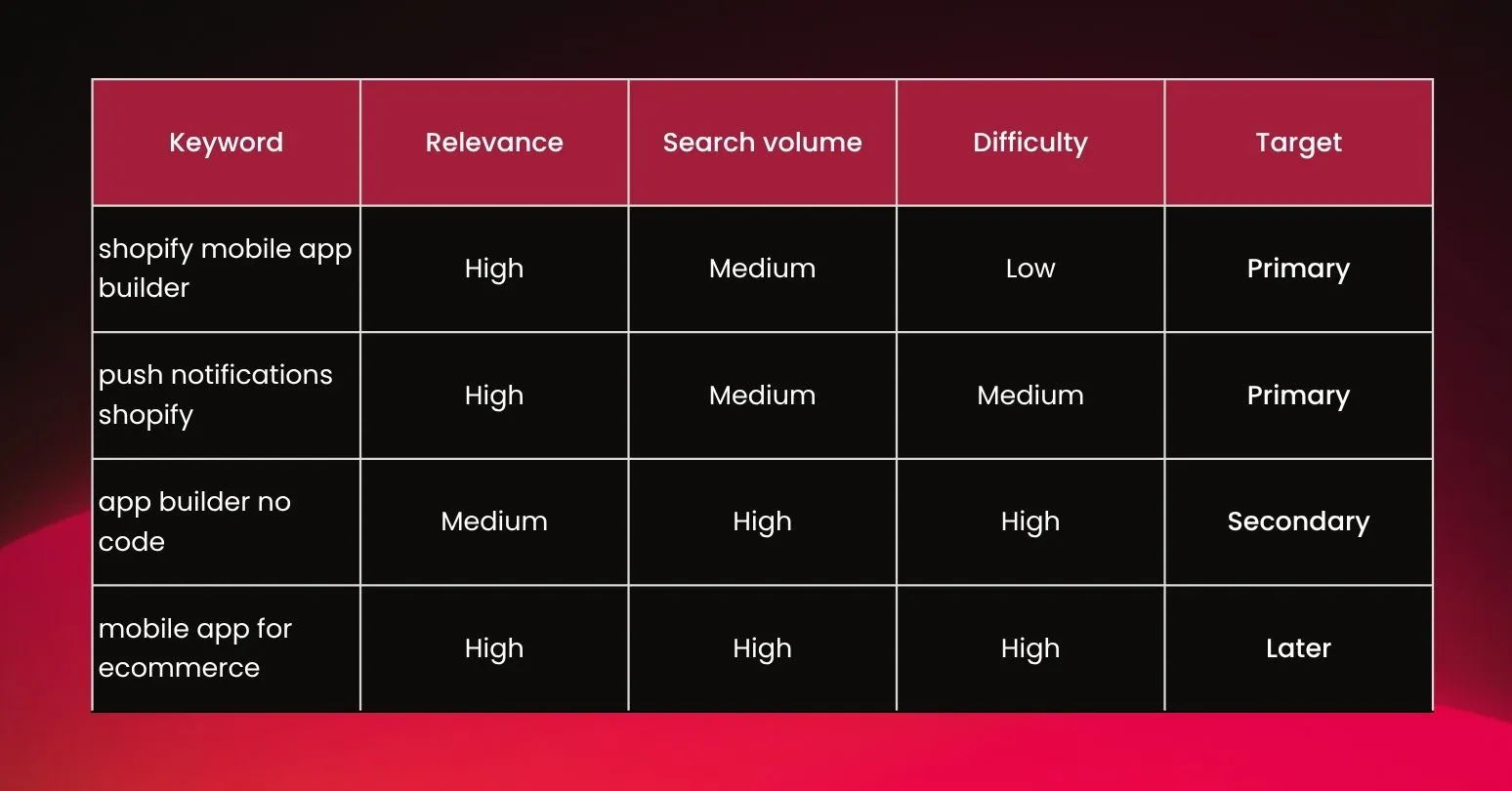
First, group your discovered keywords into semantic clusters based on user intent (e.g., grouping “order tracker,” “shipping notifications,” and “delivery updates” into a “fulfillment” cluster). Once clustered, score them against three strict criteria:
- Relevance: Does the keyword accurately describe your app? High-relevance traffic converts; irrelevant traffic tanks your CVR, even if you rank high.
- Search Volume: Is there enough organic traffic behind the term to justify the effort?
- Difficulty: How strong are the incumbent apps currently holding the top 5 positions?
Your app’s current authority dictates your keyword playbook:
| App Stage | Keyword Strategy | Core Action |
| New / Low Authority | High Relevance + Low-to-Medium Difficulty | Build metadata around mid-to-long-tail terms you can rank for immediately. |
| Established / High Authority | High Volume + High Competition | Target high-traffic head terms directly while actively defending current rankings. |
The Golden Rule: Ranking #1 for ten high-relevance niche terms beats ranking #40 for one massive head term.
The final output is a clean shortlist: primary targets for immediate deployment, secondary targets for support, and a bench of keywords to rotate in during your next cycle.
Step 4: Optimize your metadata and creative assets
This is where you deploy your prioritized shortlist. Metadata gets your app discovered; creative assets get it installed. Optimizing both simultaneously turns search visibility into downloads.
Because the two major marketplaces operate on completely different algorithms, your text optimization must be store-specific:
- Apple App Store: Focuses heavily on exact-match fields. Maximize the character limits in your App Name and Subtitle, and strategically pack the hidden 100-character keyword field without duplicating words.
- Google Play Store: Relies on semantic search and natural language processing. Naturally weave target terms into your Title, Short Description, and Long Description while maintaining a healthy keyword density.
For Visual Assets (Screenshots & Video):
- The 3-Screenshot Storyline: Design your first three screenshots as a continuous, unified narrative. Lead immediately with your primary value proposition. Use short, high-contrast captions that are readable at a glance, as most visitors never swipe past the third asset.
- Localization vs. Translation: When entering new markets, do not just translate text. True localization adapts visual imagery, cultural context, and local search idioms to drive international conversions.
Step 5: Establish a structured testing timeline
Roll out changes one variable at a time so you know exactly what moved the needle. If you update keywords and screenshots on the same day, your results are just a guess.
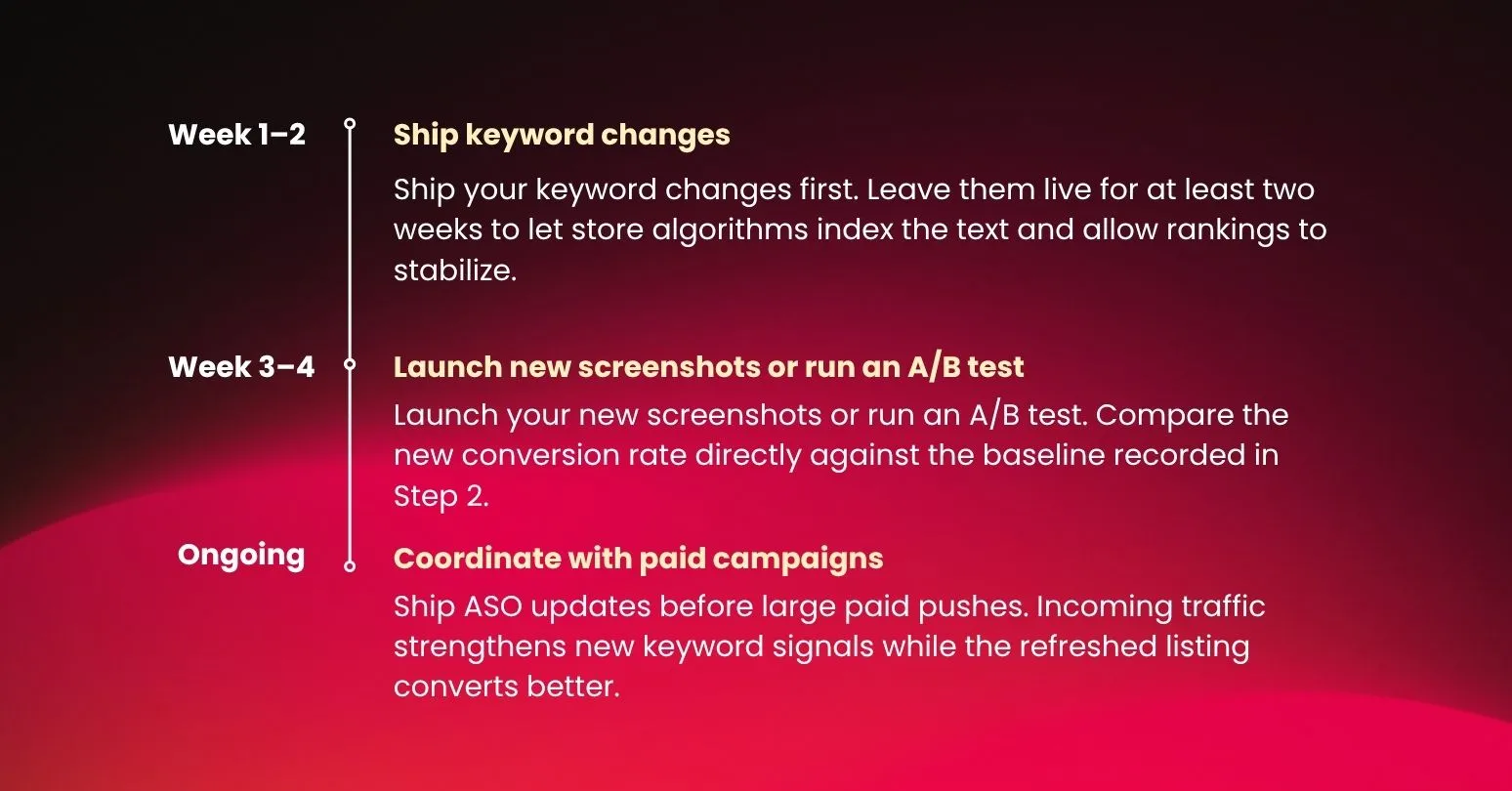
- Weeks 1–2 (Metadata): Ship your keyword changes first. Leave them live for at least two weeks to let store algorithms index the text and allow rankings to stabilize.
- Weeks 3–4 (Creatives): Launch your new screenshots or run an A/B test. Compare the new conversion rate directly against the baseline recorded in Step 2.
A/B Testing Rule: Give major updates at least 3 to 4 weeks. Algorithms need time to settle, and reacting to a 3-day dip will teach you nothing.
Finally, coordinate with your paid marketing team. Shipping ASO updates right before a large paid campaign brings in a surge of traffic, which strengthens your new keyword signals while your refreshed listing converts those users better.
Step 6: Build a review engine, not a review response habit
With your metadata and creative updates safely scheduled, the next step is optimizing your store’s most critical social proof: user reviews. Treat them as a growth asset rather than a customer service queue, because they feed directly back into your optimization loops:
- They feed your rankings: Google Play indexes review text. Mine these reviews for the exact phrases real users repeat, then feed those terms back into your Step 3 keyword clusters.
- They feed your conversion: Ratings below 4.0 stars leak installs. Secure high scores by triggering rating prompts right after a “value moment” (like a completed order), never on app launch. Fresh review velocity carries more weight with algorithms than old historical averages.
The Output: Tie automated prompts to value moments, run a monthly review-mining pass to update your keyword pool, and answer one-star reviews within 48 hours to protect your conversion baseline.
Step 7: Measure performance and repeat the loop
An ASO strategy is a continuous engine. Because competitor moves, seasonal trends, and algorithm updates will shift your numbers, you must track performance and repeat the cycle on a fixed schedule.
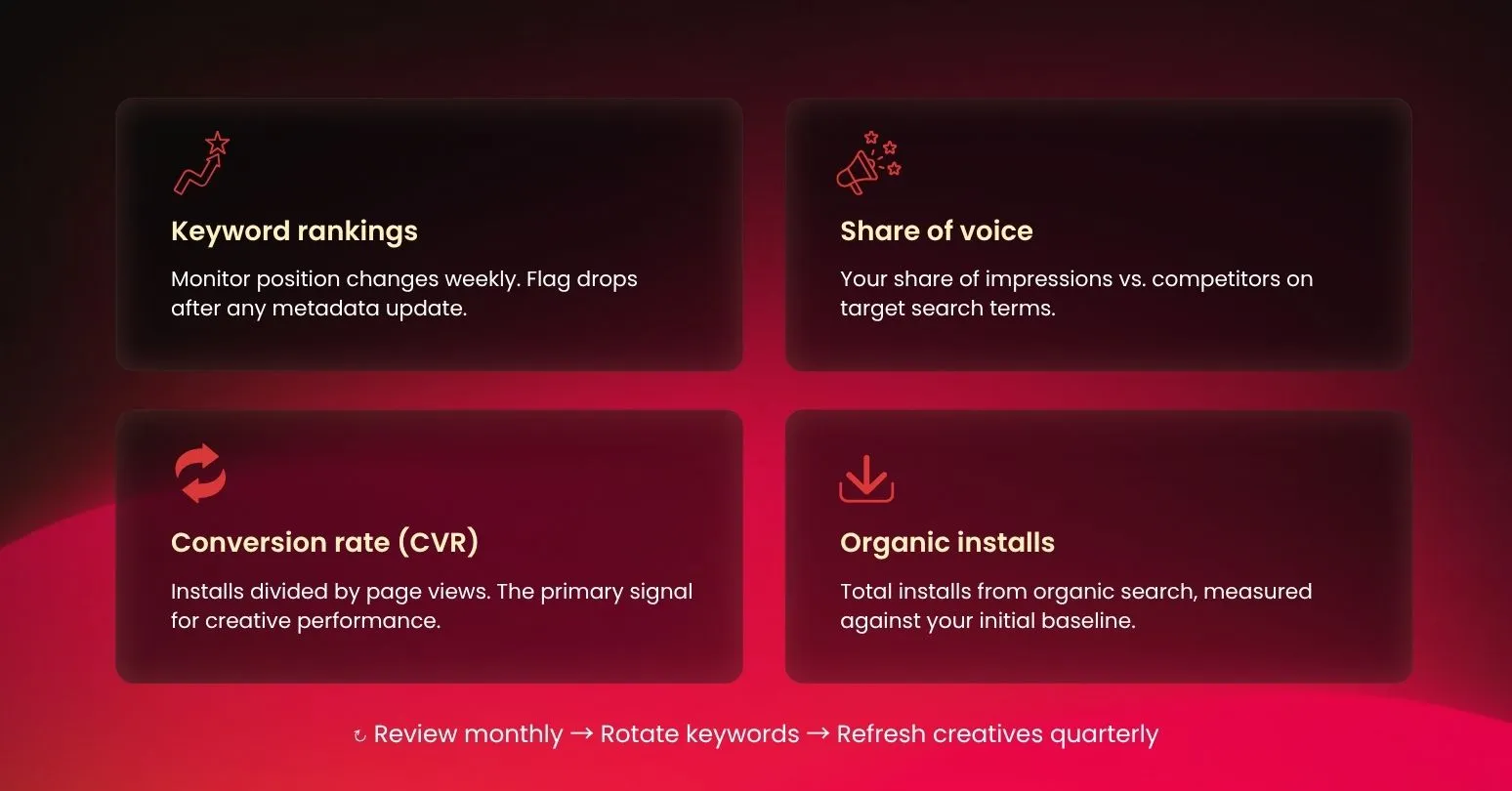
- Watch four core metrics: Monitor keyword rankings, share of voice (SoV), conversion rate (CVR), and organic installs against your initial baseline.
- Leverage paid data: Analyze Apple Search Ads and Google App Campaigns to identify keywords driving actual revenue. Move these high-converting paid terms into your organic shortlist.
- Set your cadence: Review keyword indexing monthly to swap out failed terms. Refresh visual assets quarterly to prevent creative fatigue.
The apps that dominate the stores are simply the ones that run this 7-step loop month after month, compounding their organic growth over time.
Frequently Asked Questions
1. How long does an ASO strategy take to show results?
Typically, most apps start seeing initial signals within a few weeks, with clearer and more sustainable results showing within one to three months. In low-competition niches, indexation changes can happen within the first month. However, for highly competitive categories, building predictable, long-term organic growth usually requires two to three months of consistent optimization cycles.
2. Can I build an ASO strategy without paid tools?
Yes, paid tools are a great “nice-to-have” but absolutely not a requirement to start. App Store Connect and Google Play Console provide free, direct data on the exact search terms driving your impressions and installs, while store autocomplete features help you find real user queries.
3. How often should I update my ASO strategy?
Review and update your core metadata every 3 to 4 weeks on the App Store, but extend that to every 6 to 8 weeks on Google Play. This cadence gives each store’s algorithm enough time to index changes and generate a reliable dataset, though you should break this routine immediately for major feature launches or seasonal peaks.
4. Do I need separate ASO strategies for the App Store and Google Play?
You don’t necessarily need separate strategies since the 7-step framework is identical, but the tactical execution is completely different. Apple indexes a hidden 100-character keyword field and requires a version update for changes, while Google Play relies on semantic description text and allows live A/B testing.
The Bottom Line
Having helped hundreds of e-commerce brands build and launch their own mobile apps, we’ve noticed a clear pattern: the most successful apps rarely have a “perfect” launch. Instead, they win because their teams treat ASO as a continuous process, not a one-time checklist.
Tactics tell you what to change, but this 7-step framework dictates why and when to do it.
Running that loop month after month takes real bandwidth—something most Shopify merchants lose just trying to build and maintain the app itself. That is exactly why we built OneMobile. We handle the technical foundation for you, so your team can focus all their energy on what actually drives results: executing this strategy, cycle after cycle, to turn store traffic into long-term organic growth.

OneMobile Team
Shopify Mobile App Builder
“OneMobile is the best Shopify Mobile App Builder that empowers merchants to effortlessly design, build, and launch fully-branded iOS and Android apps—without writing a single line of code. Transform your mobile presence into a high-converting sales channel with ease.”
Table of Contents
Table of Contents
Read more articles
App Store Optimization (ASO): What It Is and How It Works in 2026
By OneMobile Team
July 23, 2026
Best Shopify Mix & Match Bundle Apps (2026): 7 Options Compared
By OneMobile Team
August 14, 2026