Our top picks: OneMobile (best for growth tools and scalability), Vajro (ideal for live-selling), SimiCart (budget-friendly).
What features to look out for: Easy drag-and-drop, push notifications, loyalty tools, global support, and analytics.
Key factors to consider: Pricing, ease-of-use, reliable support, seamless Shopify integration, and actual merchant reviews.
Shopify mobile app builders have enabled businesses of all sizes to build their own branded shopping apps without incurring heavy development costs or technical complexity.
That said, not all app builders are built for the same needs. Some are great for beginners on a tight budget. Others are designed for growing brands, enterprise teams, or merchants seeking specific capabilities such as advanced customization, retention tools, or deeper integrations.
So, which will fit your business best?
Don’t worry! In this blog, we review the 11 best Shopify mobile app builders in 2026, breaking them down by features, ratings, and pricing. Our mobile commerce experts will compare what each platform does best, so you can quickly find the right match for your brand, goals, and budget.
Ready to see which builders can help you stand out with stronger branding, higher retention, and more direct customer engagement while turning your store into a truly mobile-first business?
Increased sales: Through faster checkout, deeper personalization, and better shopping experiences, mobile apps have an average conversion rate 3 times higher than mobile websites.
Stronger customer engagement: With your owned app, you can send push notifications about flash sales, new arrivals, or order updates, which brings users back to the app (something you can’t do with just a website).
Enhanced brand loyalty and retention: Beyond sales, apps excel at fostering improved customer loyalty and retention. Engaging push notifications keep your brand top-of-mind with timely alerts and promotions, while in-app loyalty programs become more accessible and effective.
Reasonable pricing: Many app builder platforms offer monthly subscription plans and require minimal coding and maintenance. This is far more reasonable than hiring a mobile app engineer or outsourcing app development services that can easily cost you $10,000+ upfront.
More professional branding: A mobile app helps your brand stand out by letting customers use pro native features like trying on products virtually with AR or getting special deals based on their location.
11 best mobile app builders for Shopify in 2026
Mobile app builder
Rating
Pricing
Built for Shopify
OneMobile
4.9
$0 – $990/month
Yes ✅
Superfans (formerly Vajro)
4.9
$150 – $1,000/month
No
StoreLab
5.0
$499 – $999/month
No
Appbrew
5.0
$599+/month
Custom plan available
No
Tapcart
4.8
$250 – $1,000+/month
No
Simicart
4.8
$0 – $199/month
Yes ✅
Shopney
5.0
$149 – $1,299/month
No
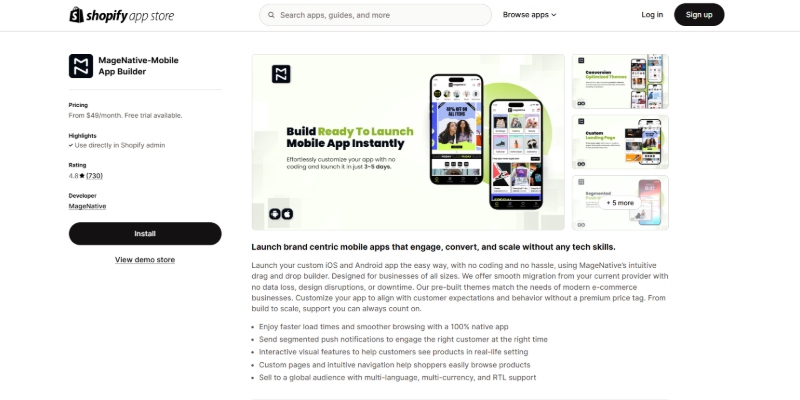
MageNative
4.8
$49 – $249/month
No
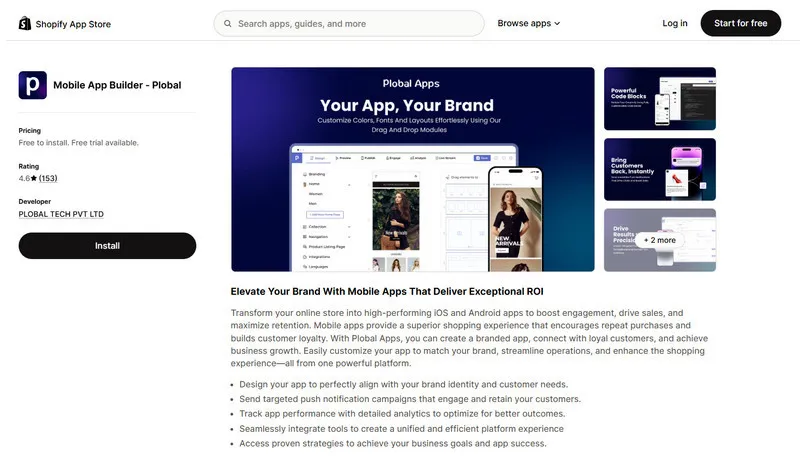
Plobal App
4.8
$199 – $1,199/month
No
Apptile
5.0
$99 – $999/month
No
AppMaker
4.9
$1,000 – $2,000/month
No
1. OneMobile
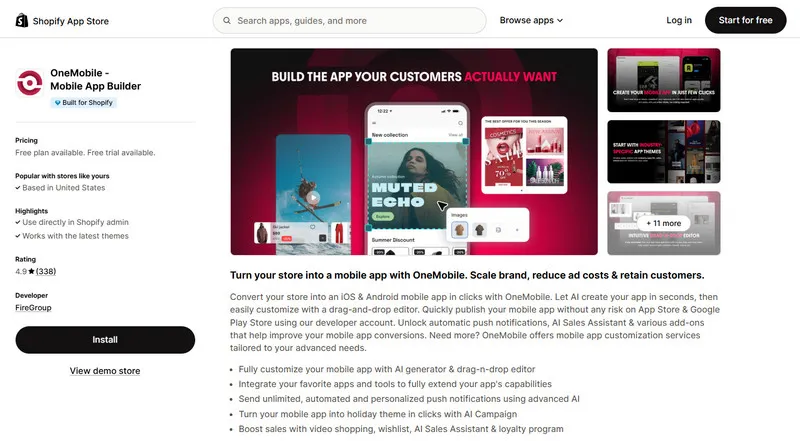
We don’t mean to toot our own horn, but well, OneMobile is among the leading Shopify mobile app builders in the market right now.
Our platform offers all the tools you’ll need to start a scalable mobile app sales channel. Particularly, OneMobile not only lets you launch an app with ease but also equips you with various built-in tools so you can sell effectively on that app.
Key features of OneMobile:
Intuitive drag-and-drop editor: Easily design and modify your app’s layout and appearance without needing any coding skills.
AI Sales Assistant: Provide 24/7 in-app customer support with an AI-trained agent that knows your products, adapts to your brand, and boosts conversion with real-time answers.
AI Campaign: Instantly launch on-brand flash sale campaigns across your entire app, from icons to popups, with just a few clicks using AI-powered automation.
Effortless user base growth tools: Utilize features specifically designed to help you attract new app users and retain existing ones.
Professional-grade push notifications: Effectively engage with the right app customers at the right time through automated, personalized push notifications that don’t come with sending limits.
Customer retention & loyalty rewards: Implement integrated loyalty programs, including OneLoyalty integration (with a free subscription available on the Omni plan), to foster repeat business and enhance customer lifetime value.
Shoppertainment features: Offer engaging and interactive shopping experiences with features like Shoppable Video (available on higher-tier plans).
Multi-language and currency support: Cater to a global audience by offering your app in multiple languages and supporting various currencies.
Advanced analytics and integrations: Track your app’s performance with in-depth analytics and connect with popular third-party tools such as Transcy, OneLoyalty, Klaviyo…
Developer account usage for publishing: Save time and potential costs by using OneMobile’s developer account for publishing your app to the app stores.
Rating of OneMobile:
⭐ 4.9/5.0 (Based on 358 reviews on the Shopify App Store)
🚀 OneMobile is one of the few mobile app builders that has earned the ‘Built for Shopify‘ badge, meaning it meets Shopify’s highest standards for features, performance, ease of use, and seamless integration with the Shopify ecosystem.
Pricing of OneMobile:
Plan
Pricing
Main benefits
Free
Free of charge
Customize and preview your mobile app
ScaleUp
$99/month
+ success fee at 2.9%/order if app revenue exceeds $2,000/month
7 customizable themes
25 design blocks
Automated push notifications
Wishlist feature
BrandUp
$299/month
+ success fee at 1.9%/order if app revenue exceeds $10,000/month
Tailored app design
35 design blocks
Automated push notifications with AI assistant
Shoppable video
Voice search
Barcode search
Omni
$990/month
+ success fee at 1.2%/order if app revenue exceeds $100,000/month
Enterprise-grade AI that accelerates mobile transformation: Many Shopify merchants highly recommend OneMobile thanks to its powerful AI features that enable brands to effortlessly turn their Shopify store into an app.
Revenue-driving app promotion toolkit: OneMobile is known for its feature-rich nature, allowing brands to effectively engage with customers and sell more through their apps.
Built-in loyalty tool that improves repeat sales: According to Anna Dao from BMCorner, since she launched her app, her store experienced 30% higher retention rate, 123% mobile revenue boost in 4 months, and a 4x higher average order value (AOV).
Fantastic multilingual capabilities: Many users have praised OneMobile for its incredible localization functionality that helps brands localize their mobile apps for different audiences.
Endless app customization: After trying many solutions, a client claimed that OneMobile offers them the ability to fully customize their app like no other.
Outstanding customer support: Another strength of starting your mobile app business with OneMobile is that you’ll get an awesome customer success team dedicated to your success.
Cons of OneMobile:
Due to its wide range of features, OneMobile might not be suitable for newbies or small business owners who just want to test the water.
OneMobile has a free plan. However, to publish your app to the App Store and Google Play Store, you’ll need to subscribe to a paid plan, which ranges from $99-$990/month. This might not be affordable for those on a very tight budget.
Who is OneMobile best for?
Medium to large-sized Shopify businesses
Those looking for a comprehensive platform with powerful integrated sales & marketing tools
Brands whose customers come from different countries and speak different languages
Stores that want to adopt AI features at every stage of their mobile app business
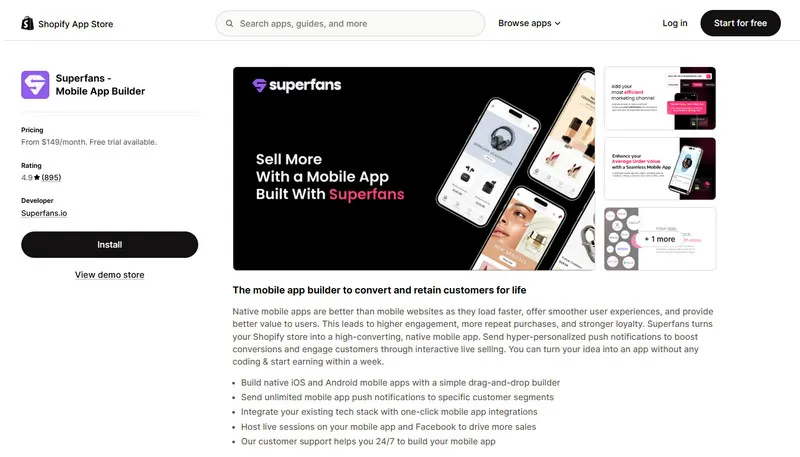
Superfans allows Shopify merchants to quickly create native mobile apps using an intuitive drag-and-drop builder, with a standout feature being its integrated live selling capability for enhanced customer engagement.
Key features of Superfans:
Easy drag-and-drop builder: Build native iOS/Android apps with no coding needed.
Live selling feature: Sell interactively via live video streams on your app and Facebook.
Targeted push notifications: Send personalized messages to engage users (limits depend on the plan).
Real-time Shopify sync: Automatically keeps app data updated with your store.
Pre-built themes/Layouts: Start quickly with ready-made design options.
Global selling support: Offers multi-language and currency options (on higher plans).
In-app analytics: Track sales, campaigns, and user activity.
24/7 customer support: Get help anytime via chat, email, or Zoom.
Rating of Superfans:
⭐ 4.9/5.0 (Based on 880 Shopify App Store reviews)
❌ Superfans isn’t Built for Shopify. This means it might not seamlessly integrate with your Shopify store or meet the highest standards for performance, features, and ease of use.
Pricing of Superfans:
Plan
Pricing
Key benefits
Starter
$150/month
Unlimited Push Notifications
In-App Live Chat
Size Charts
24/7 live chat support
Deep Linking
Plus
$999/month
Custom development options
Klaviyo integration
Multi Currency & Multi Languages
Pros of Superfans:
The easy-to-use interface and simple customization allow merchants to get a functional native app quickly.
Explore our detailed Superfans Review to see its features, pricing, and performance.
3. StoreLab
Brief overview of StoreLab:
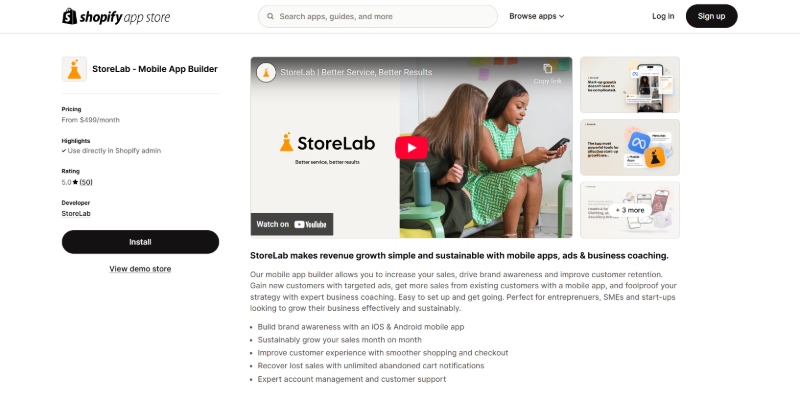
StoreLab positions itself as a Shopify growth service, offering a no-code mobile app builder bundled with significant hands-on support, aimed at helping small and medium businesses achieve sustainable revenue growth.
Unlimited integrations: Connect with your existing Shopify apps and tools.
Full app management option: Higher tier includes design, launch, and management by StoreLab experts.
Focus on growth: Emphasis on improving sales, AOV, and customer loyalty.
Rating of StoreLab:
⭐ 5.0/5 (Based on 36 Shopify App Store reviews)
❌ StoreLab isn’t Built for Shopify. This means it might not seamlessly integrate with your Shopify store or meet the highest standards for performance, features, and ease of use.
Pricing of StoreLab:
Plan
Pricing
Key benefits
Guided
$499/month
Includes the app builder
Guided launch
Monthly expert support.
Professional
$999/month
Offers full app management
Strategic oversight by the StoreLab team.
Pros of StoreLab:
Account managers guide users through every step with dedicated support.
The platform offers ongoing strategy, check-ins, and guidance on metrics, providing strategic coaching.
Another strength many brands mention is that StoreLab provides great Facebook ads services, which helps with their mobile app’s user acquisition and sales.
The team handles heavy lifting, including app design, making the platform highlyaccessible for non-technical owners.
Cons of StoreLab:
StoreLab has two pricing plans; the lower one costs $499/month, and the higher package costs $999/month. For this reason, it may alienate brands with a small customer base.
Who is StoreLab best for?
Medium to large businesses or those that already have stable revenue through mobile
Merchants who need expert guidance and ads management to drive growth
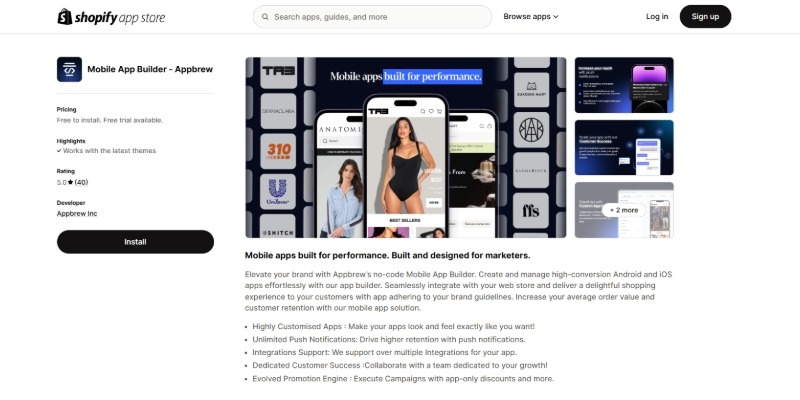
Appbrew focuses on helping established DTC brands on Shopify build high-performance, deeply customizable native mobile apps using a React-based architecture for enhanced speed and flexibility beyond standard templates.
Key features of Appbrew:
High-performance native apps: Built with React for optimal speed and user experience on iOS & Android.
Deep customization: Extensive options for unique layouts, branding, fonts, and colors using a drag-and-drop CMS.
Extensive integrations: Supports over 100 Shopify integrations for reviews, loyalty, subscriptions, analytics, etc.
Unlimited push notifications: Offers personalized and automated notification capabilities.
Advanced analytics: Provides a robust dashboard for tracking app performance and user behavior.
Conversion-focused: Includes features for upsells, cross-sells, and streamlined checkout.
❌ Appbrew isn’t Built for Shopify. This means it might not seamlessly integrate with your Shopify store or meet the highest standards for performance, features, and ease of use.
Pricing of Appbrew:
Plan
Price
Key benefits
Growth
$999/month
Includes native apps
CMS
Analytics
Push notifications
Core integrations.
Enterprise
Custom
Custom pricing for advanced features
Unlimited integrations
Tailored support.
Pros of Appbrew:
Built on a React-based architecture, the platform delivers faster load times and a smooth shopping experience.
The drag-and-drop editor allows for customization options to reflect a unique brand identity.
Cons of AppBrew:
Even Appbrew’s lowest plan costs $499/month. This can be pricey for small businesses.
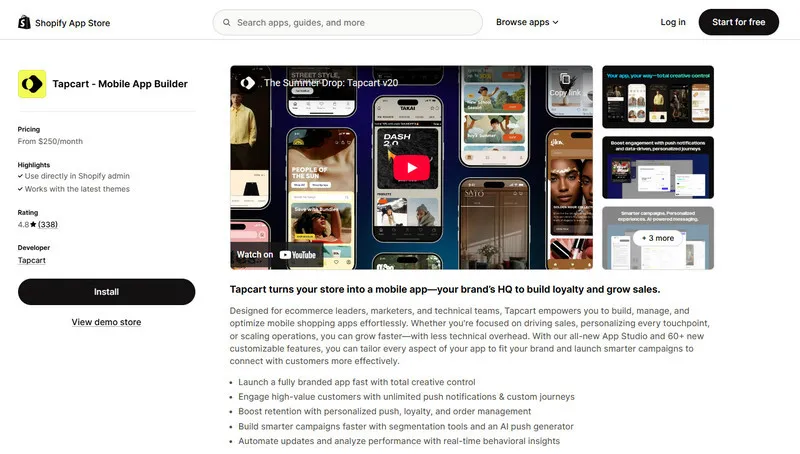
Tapcart is a well-established mobile app builder for Shopify, widely used by mid-market and enterprise brands to create engaging mobile shopping experiences and drive significant app revenue through powerful marketing tools.
Key features of Tapcart:
Drag-and-drop editor (App studio): Build and customize native iOS & Android apps without extensive coding.
Advanced push notifications: Offers unlimited scheduled and automated push notifications with deep linking capabilities.
Real-time Shopify sync: Ensures seamless updates between your Shopify store and the mobile app.
Integrations: Connects with key e-commerce tools for marketing, loyalty, subscriptions, etc.
Analytics platform (Insights pro): Provides native analytics to track app performance and ROI.
Custom blocks & developer tools: Allows for deeper customization for unique features (requires technical resources or higher plans).
Branded QR codes: Generate QR codes to promote app downloads.
Rating of Tapcart:
⭐ 4.7/5.0 (Based on 334 Shopify App Store reviews)
❌ Tapcart isn’t Built for Shopify. This means it might not seamlessly integrate with your Shopify store or meet the highest standards for performance, features, and ease of use.
Pricing of Tapcart:
Plan
Price
Key benefits
Core
$250/month
+ success fee at 2.5%/order
Native iOS & Android apps
Unlimited design blocks
Scheduled push notifications
Ultimate
$500/month
+ success fee at 2.5%/order
Adds advanced automated push notifications
AI push generator
More customization
Enterprise
$1,000/month
+ success fee at 1.75%/order
Unlimited custom blocks
Premium integrations
Global selling features
Dedicated support.
Pros of Tapcart:
Some clients said they enjoy Tapcart’s ease of use, allowing brands to customize their app without much technical knowledge required.
Merchants highly recommend Tapcart for significantly improving the mobile shopping experience with a polishednative interface.
The push notification system drives higher customer retention with tailored promotions.
Tapcart is known for its extensive customization thanks to its Custom Blocks, which lets developers insert custom code for further customization.
Many clients receive a dedicated customer success manager who provides helpful guidance and best practices.
Cons of Tapcart:
Tapcart’s pricing plans are higher than many other app builders, especially with its success fees from 1.75% to 2.5% per in-app order.
A few merchants faced challenges with the support team, causing app launch delays of several weeks.
Check out our complete Tapcart Review for insights on all aspects.
6. SimiCart
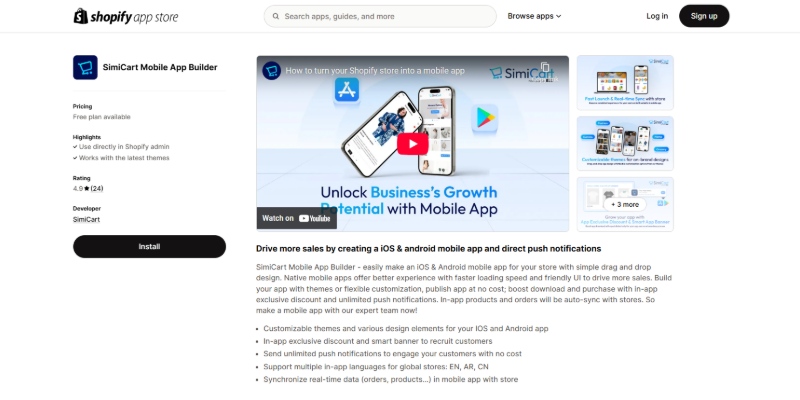
SimiCart is frequently noted for its accessible free plan, offering Shopify merchants a risk-free way to build and launch a native mobile app using a simple, no-code drag-and-drop interface.As a Built for Shopify app, it meets Shopify’s rigorous standards for performance, reliability, and security, ensuring seamless integration with your store and a smooth, intuitive experience for both merchants and shoppers.
Key features of SimiCart:
Easy drag-and-drop builder: Create your app visually without needing coding skills.
Free app publishing: SimiCart can handle the app store submission process using their account, saving costs.
Unlimited push notifications: Engage customers effectively (available on Basic plan and up, potentially included in free as well based on some sources).
Real-time Shopify sync: Keeps your app data automatically updated.
Multiple themes & design elements: Offers pre-built options and customization for branding.
Multi-language/Currency support: Available to support global sales (likely on paid plans).
Rating of SimiCart:
⭐ 4.8/5.0 (Based on 35 Shopify App Store reviews)
🚀 Like OneMobile, SimiCart is a ‘Built for Shopify‘ mobile app builder.
Pricing of SimiCart:
Plan
Price
Key benefits
Free
$0
Builder access
20 design blocks
Basic customization
Free publishing.
Basic
$29/month
Unlimited push notifications,
Review integrations
Wishlist.
Pro
$99/month
More design blocks
App-exclusive discounts
Further customization.
Premium
$199/month
Most features
dedicated support.
Pros of Simicart:
Many merchants are impressed that SimiCart enables them to build a low-cost mobile app that is still functional.
The app builder is intuitive, fast, and efficient, allowing for rapid app creation.
The support team is frequently praised for being incredibly responsive and providing prompt support.
Cons of SimiCart
SimiCart only has 3 app themes, each of which comes with rather limited customization options compared to other solutions
There have been isolated reports of slow support responsiveness, leading to a temporary inability to resolve issues
The free plan is quite basic, requiring an upgrade to a paid tier due to feature limitations.
Who is SimiCart best for?
Small businesses or newbies with a small budget
Stores with a small catalog looking to establish a mobile shopping app with app-exclusive discounts
Read ourSimiCart Review for a closer look at its core features and the pros and cons.
7. Shopney
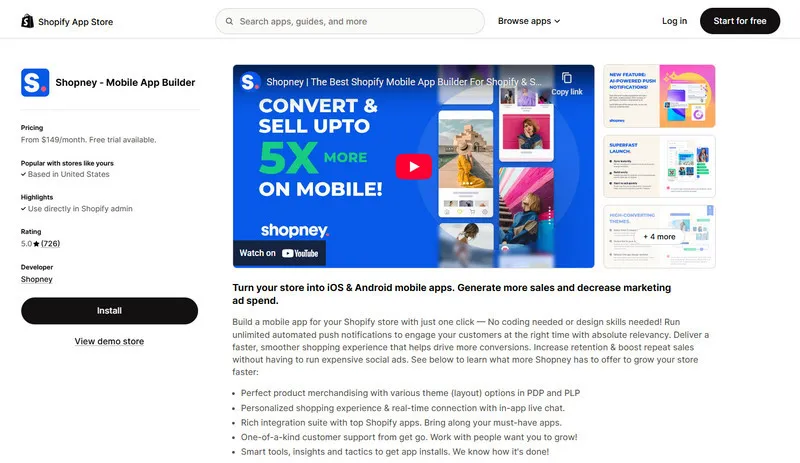
Shopney is a highly-rated mobile app builder for Shopify known for its user-friendly drag-and-drop interface, strong design themes, and excellent customer support, making it easy for merchants to launch appealing native apps.
Key features of Shopney:
Easy drag-and-drop design: Build and customize iOS & Android apps with no coding required.
Multiple theme options: Choose from various layouts tailored to different store types.
Unlimited push notifications: Engage customers with promotions and updates (basic types included on all plans).
In-app live chat: Provide real-time support and convert conversations into sales directly within the app.
Rich integrations: Connects with popular Shopify apps for reviews, loyalty, marketing automation, and more.
Real-time Shopify sync: Ensures app content stays up-to-date with your store.
Multi-language & currency support: Available on higher plans for global selling.
Performance analytics: Track app performance and user behavior.
Rating of Shopney:
⭐ 5.0/5.0 (Based on 741 Shopify App Store reviews)
❌ Shopney isn’t Built for Shopify. This means it might not seamlessly integrate with your Shopify store or meet the highest standards for performance, features, and ease of use.
Pricing of Shopney:
Plan
Price
Key benefits
Silver
$149/month
Core features
Basic design elements
Unlimited push notifications
In-app chat.
Gold
$299/month
More design elements
Scheduled/abandoned cart notifications
Multi-language support
Platinum
$599/month
Unlimited design elements
Advanced integrations (loyalty, subscriptions)
AR features
Enterprise
$1,299/month
For high-volume stores needing dedicated support.
Pros of Shopney:
Users praise the professional, sleek look of their apps, noting that the extensive theme options allow for exceptional design.
Dive into our full Shopney Review to learn about its pros and cons.
8. MageNative
MageNative provides a user-friendly, no-code platform for Shopify merchants to build native mobile apps, often recognized for its affordable entry-level pricing and inclusion of features like AR support on higher tiers.
Key features of MageNative:
Push notifications: Send messages to engage customers (limits vary by plan).
Customizable themes & layouts: Adapt the app’s look to match your brand.
Integrations: Connects with various third-party Shopify apps.
Analytics & social login: Offers performance tracking and easy login options.
Rating of MageNative:
⭐ 4.7/5.0 (Based on 328 Shopify App Store reviews)
❌ MageNative isn’t Built for Shopify. This means it might not seamlessly integrate with your Shopify store or meet the highest standards for performance, features, and ease of use.
Pricing of MageNative:
Plan
Price
Key benefits
Basic
$49/month
Core features
Limited push notifications
15 design blocks
Standard
$149/month
More blocks
Multi-language/currency
Automated notifications
Premium
$249/month
Unlimited push notifications
AR feature
Advanced analytics
Shop Pay integration.
Pros of MageNative:
Advanced features are offered at an accessible price point, providing a high feature-to-price ratio.
The user-friendly interface allows designing an app that closely mirrors the website theme for consistent integration.
Many reviews highlight friendly and prompt support, noting the team is available 24/7 for responsive support.
MageNative received positive feedback on their custom integrations, enabling brands to extend their mobile apps’ full capacity.
Long-term users observe the platform constantly adding new features and improving the UI for continuous improvements.
Plobal provides a comprehensive platform for Shopify merchants to build native mobile apps, focusing strongly on boosting customer retention and sales through unlimited push notifications and detailed analytics.
Key features of Plobal:
Drag & drop app builder: Create custom iOS & Android apps without coding.
Unlimited push notifications: Engage users effectively (segmentation on higher plans).
Advanced mobile analytics: Gain real-time insights into user behavior and app performance.
Extensive integrations: Connects with many popular Shopify tools for marketing, reviews, loyalty, etc. (number varies by plan).
Real-time Shopify sync: Keeps app content aligned with your store.
App personalization features: Offers tools for tailored user experiences (on higher plans).
Dedicated support: Includes email, live chat, and dedicated success managers (on higher plans).
Rating of Plobal:
⭐ 4.6/5.0 (Based on Shopify App Store reviews)
❌ Plobal isn’t Built for Shopify. This means it might not seamlessly integrate with your Shopify store or meet the highest standards for performance, features, and ease of use.
Pricing of Plobal:
Plan
Price
Key benefits
Growth
$199/month
Core features
Standard integrations
Unlimited push notifications
Essential
$499/month
More integrations
Segmented notifications
Dedicated success manager.
Enterprise
$1,199/month
Unlimited advanced integrations
App personalization
Priority support
Pros of Plobal:
Targeted push notifications significantly increase customer retention and purchase frequency for effective growth.
Features like barcode scanning and customizable layouts provide a feature-rich app.
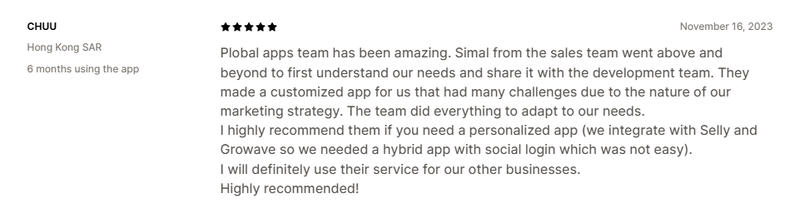
Plobal’s 24/7 support and success team are praised for being proactive and forming a strong partnership.
Businesses with Plobal for five or more years confirm continuous feature updates, indicating long-term stability.
Cons of Plobal:
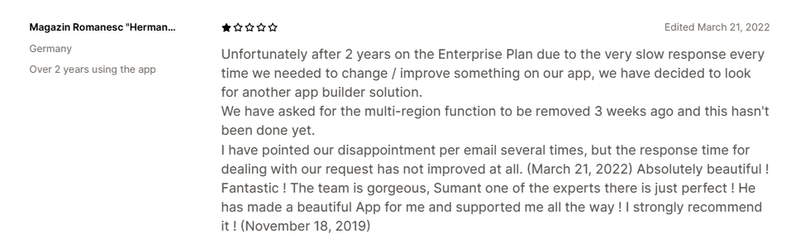
A few recent reviews warned of a drop in service quality, with support tickets going unanswered, suggesting inconsistent support.
The minimum monthly fee can be steep for smaller stores, creating a high barrier to entry cost.
The deep feature set can make the interface initially overwhelming, leading to setup complexity for non-technical users.
Who is Plobal best for?
Shopify merchants focused on data-driven growth, customer retention, and leveraging personalized push notifications.
Businesses that want deep analytics and extensive integrations.
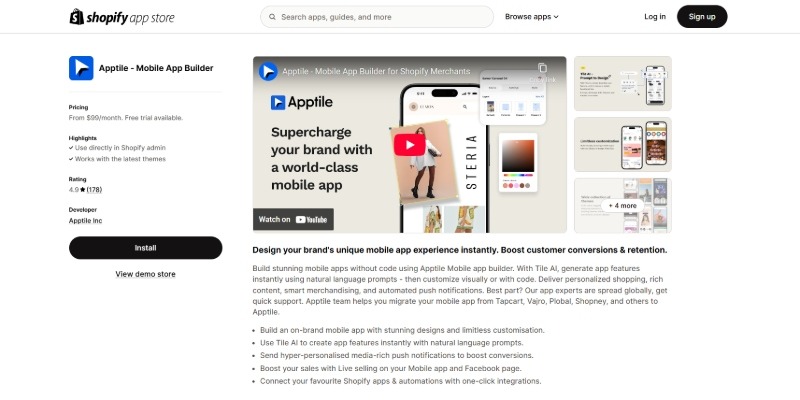
Apptile is a no-code mobile app builder allowing Shopify merchants to create visually appealing native apps using a flexible “tile-based” design system and AI-powered personalization features.
Key features of Apptile:
AI-powered personalization: Utilize AI tiles to create tailored shopping experiences for users.
Hyper-personalized push notifications: Send targeted, media-rich messages to engage customers.
Deep customization: Offers options for custom pages (home, PDP, cart), fonts, and icons (varying by plan).
Seamless integrations: Provides one-click integrations with various Shopify apps.
Advanced features (higher plans): Includes live selling, barcode scanning, automated push notifications, advanced analytics, social login.
Rating of Apptile:
⭐ 5.0/5.0 (Based on Shopify App Store reviews)
❌ Apptile isn’t Built for Shopify. This means it might not seamlessly integrate with your Shopify store or meet the highest standards for performance, features, and ease of use.
Pricing of Apptile:
Plan
Price
Key benefits
Core
$99/month
Adds more standard integrations
Pro
$249/month
Adds premium themes
Multi-language/currency
Live selling
Plus
$499/month
Adds custom page builders
Automated push
Premium integrations
Social login
Enterprise
$999+/month
For large brands needing custom development and dedicated support
Pros of Apptile:
The drag-and-drop “tile system” gives creative freedom, making it easy to build a unique app with high customization.
The no-code builder includes tools like live selling and AI personalization, providing a rich feature set.
The support team is highly responsive and hands-on, providing excellent collaborative support.
Many store owners report they were able to go from concept to a live app very fast, achieving rapid time-to-market.
The team actively addresses bugs and incorporates new features, showing proactive innovation.
Cons of Apptile:
As one of the newer players, extremely feature-hungry merchants might find a few very niche integrations not immediately available upon launch.
Who is Apptile best for?
Shopify merchants interested in a modern, design-flexible builder that uses a tile-based system
Brands that want to incorporate AI for personalization
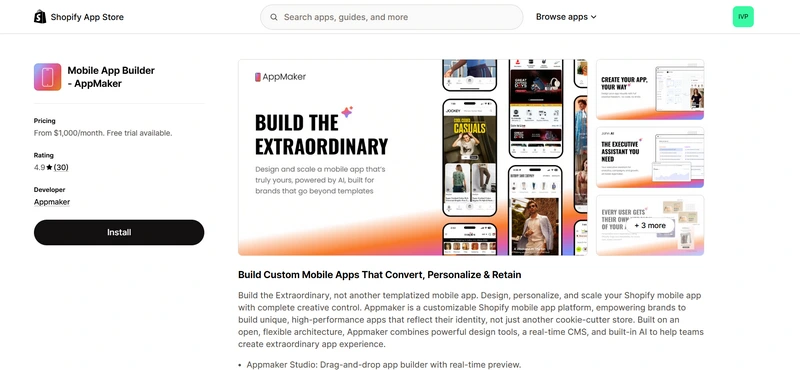
AppMaker is a no-code mobile app builder that allows you to create native iOS and Android apps with a strong focus on design flexibility and advanced customization. It is positioned as a solution for brands that want more control over how their app looks and behaves, rather than relying on preset templates.
Key features of AppMaker:
Advanced app customization: AppMaker gives you granular control over app layouts, navigation, and components, allowing you to design a mobile experience that closely matches your brand identity.
Conditional content and personalization: You can display different content blocks based on Shopify tags, customer data, or metafields, helping you tailor the app experience to different shopper segments.
Built-in push notifications: AppMaker supports automated and manual push notifications for common use cases like promotions, re-engagement, and cart recovery.
Native mobile performance: Apps are built as native iOS and Android applications, with real-time sync to your Shopify store for products, collections, and customer data.
Integration with Shopify tools: AppMaker integrates with popular Shopify apps and services, enabling you to connect reviews, marketing tools, and analytics into your app experience.
AI-assisted tools (select plans): Higher-tier plans include AI-powered features to support app design, analytics insights, and campaign optimization.
Rating of AppMaker:
⭐ 4.9/5.0 (based on 30 reviews on Shopify App Store)
❌ AppMaker is not certified ‘Built for Shopify’. This means some Shopify-native workflows may require additional setup, and performance or compatibility can vary depending on configuration and plan level.
Pricing of AppMaker:
Plan
Price
Key benefits
Pro
$1,000/month
Native iOS + Android
Platform access for app personalization
App Integrations & Plugin Library
Enterprise Support
Plus
$2,000/month
Everything in Pro+
Premium Workflows
Customer success manager
Priority support
Pros of AppMaker:
Offers deep design flexibility, making it possible to build highly customized, brand-first mobile apps.
Supports conditional content and personalization, which is useful for brands with complex catalogs or customer segments.
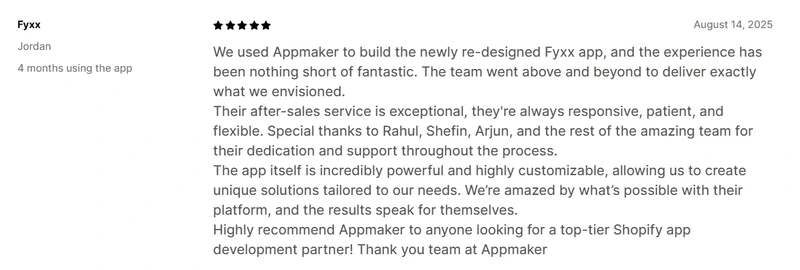
Support team is frequently described as responsive and helpful
Cons of AppMaker:
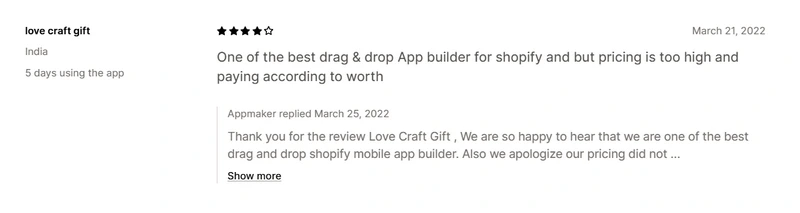
AppMaker’s pricing is on the higher end, which may not be ideal for smaller merchants or early-stage stores.
Who is AppMaker best for?
Established Shopify brands that want a high level of design control and customization.
Those willing to invest more time and budget into building a tailored mobile app experience.
Key features you should look for in a mobile app builder
While there’s no one-size-fits-all formula, these are the top features to prioritize:
1. Built for Shopify
This is because Shopify apps in general — and mobile app builders in particular — that have the Built for Shopify badge are specially optimized for the Shopify platform. The badge means the app has been reviewed and approved by Shopify’s own team, meeting their highest standards for speed, reliability, security, and ease of use. It also ensures the app integrates smoothly with the Shopify admin and provides a fast, user-friendly experience for merchants.
2. No coding required
Most builders have visual editors or drag-and-drop interfaces that let you arrange layouts and features easily. This lowers the barrier to entry, so anyone can create a mobile app for their store without hiring a developer.
3. Native apps
The apps created are native to iOS and Android, meaning they’re built to run smoothly on smartphones and tablets. Native apps generally offer better performance, faster load times, and a more polished user experience than a generic mobile website.
4. Integration with Shopify
Mobile app builders plug directly into your Shopify store, syncing all your products, collections, and inventory in real time. Order information, customer accounts, and other crucial data are integrated as well, so managing the app is as easy as managing your Shopify backend. In practice, this means any update you make on your Shopify store (like adding new products or adjusting prices) will automatically reflect in the app.
5. Marketing features
Many app builders come with marketing features to help you engage customers and drive sales. For example, you can send unlimited push notifications for promotions or back-in-stock alerts, segment customers to deliver targeted offers, and even integrate with marketing platforms like Klaviyo or Google Analytics.
6. Customization options
With most builders, you can customize the app’s look and functionality to match your brand identity and meet your store’s needs. You can choose color schemes, fonts, and layouts that align with your branding, create custom banners or sections, and even select which features or tabs to include in the app.
Factors to consider when choosing your best Shopify mobile app builders
Choosing the best Shopify app builder is crucial. Here’s a quick checklist to guide your decision for your online store in 2026:
Your goals: What must the app achieve? Increased sales, better loyalty, and direct communication? Match the builder’s strengths to your primary goal.
Budget: Look at the total cost – monthly fees plus any potential transaction or success-based charges. Does it fit your budget now and long-term?
Technical skill: How tech-savvy is your team? Choose between easy no-code builders or platforms offering deeper (potentially more complex) customization.
Scalability: Can the platform grow with you? Ensure you can upgrade features and capabilities as your business expands.
Must-have features: Define your non-negotiables (e.g., push notifications, specific integrations, analytics) and verify they are included.
Customization vs. Speed: Is a highly unique brand look more important than launching quickly? Decide your priority.
Support quality: How critical is responsive, helpful customer support when you hit a snag? Check their reputation and availability.
Reviews: What are other merchants saying? Look for recent, honest feedback on performance and reliability.
Test drive: Use free trials or demos to experience the platform yourself before committing.
Final thoughts
In 2026, a mobile app is essential for Shopify success, driving higher conversions and building crucial customer loyalty. We’ve reviewed the top 11 best mobile app builders for Shopify, but the best choice truly depends on your store’s specific goals and resources.
Revisit the reviews focusing on your priorities – whether that’s achieving unique branding (where platforms like OneMobile excel), needing specific features, or fitting your budget. Evaluate carefully based on what matters most for your growth.
If you’re aiming to build a unique app specifically focused on boosting customer loyalty and driving direct sales, take a closer look at OneMobile.
“An SEO specialist with over 5 years of experience. With a strong background in digital marketing and a focus on mobile-first and SaaS products, Thuan has led SEO strategies that drive consistent traffic, boost visibility, and support scalable growth. His expertise spans keyword research, content optimization, technical audits, and performance tracking”
“An SEO specialist with over 5 years of experience. With a strong background in digital marketing and a focus on mobile-first and SaaS products, Thuan has led SEO strategies that drive consistent traffic, boost visibility, and support scalable growth. His expertise spans keyword research, content optimization, technical audits, and performance tracking”