
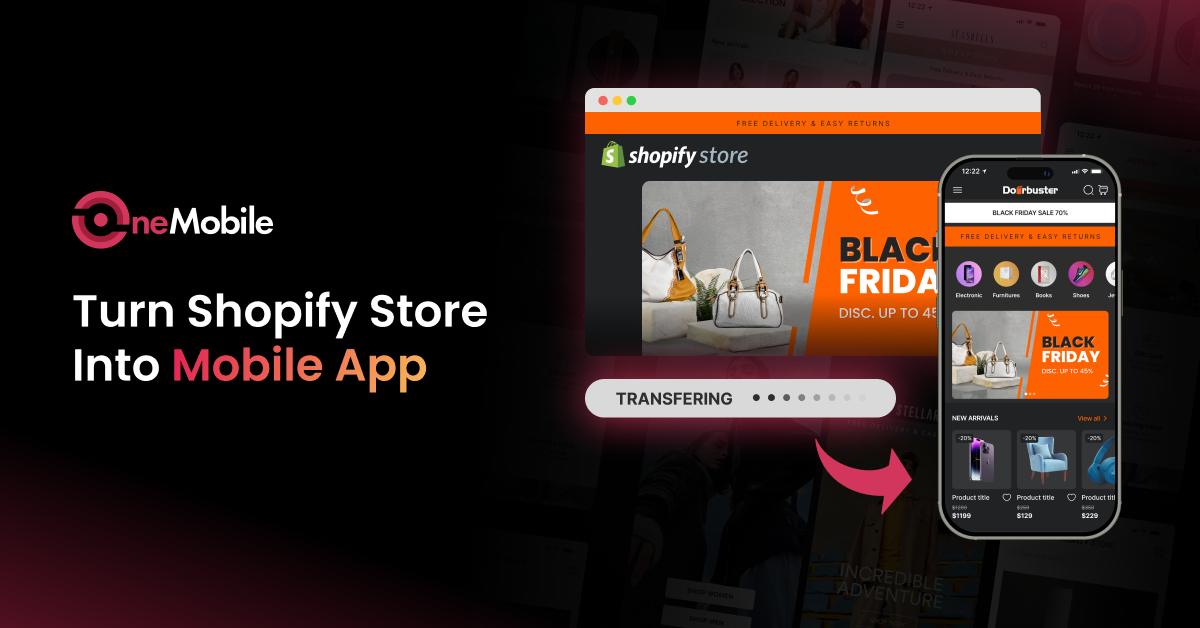
Running a Shopify store is more competitive than ever. Rising ad costs, lower organic reach, and shrinking customer attention spans make it harder to drive repeat purchases and build long-term loyalty. If you’re relying solely on your website to convert and retain customers, you may already be feeling these challenges.
That’s why more Shopify merchants are turning their stores into mobile apps. A Shopify mobile app helps you increase repeat purchases, improve conversion rates, and stay top-of-mind with customers through push notifications, faster checkout, and a smoother shopping experience. And the best part? You no longer need a massive budget or a custom development team to make it happen.
In this guide, we’ll show you exactly how to turn your Shopify store into a mobile app in 4 easy steps.
Two ways to convert your Shopify store into a mobile app
Shopify merchants have two main paths for creating a mobile shopping app for their store: Use a Shopify mobile app builder or build a custom mobile app.
The first is to use a Shopify mobile app builder, a no-code or low-code solution (examples include OneMobile, Tapcart, Vajro, Plobal Apps, Shopney, etc.), and the second is to build a custom mobile app from scratch (using Shopify’s Storefront API or a headless commerce setup).
1. Use a Shopify mobile app builder
This involves using a third-party app builder platform to generate a native iOS and Android app that mirrors your Shopify store. It requires little to no coding.
You can easily design your app with drag-and-drop tools, choose from ready-made templates, and use features that already work with Shopify.
The builder handles most of the heavy lifting, like syncing products, building the app framework, and even publishing to app stores in many cases.
2. Build a custom mobile app (DIY approach)
Building a custom mobile app is a do-it-yourself (or hire-a-developer) approach. You build a bespoke mobile app from the ground up, using Shopify’s APIs (Storefront GraphQL API or Mobile Buy SDK) to fetch store data (products, collections, customer accounts, etc.).
You can choose to build a native app (using Swift or Kotlin) for the highest performance on iOS and Android, or use cross-platform frameworks (like React Native or Flutter) to launch on both stores more quickly and easily.
Essentially, Shopify acts as the backend (inventory, orders, payments), and you develop a completely custom frontend (the mobile app) – a form of headless commerce where the storefront is separate from Shopify’s templating system.
>> Suggested reading: How to Create a Shopify Mobile App with React Native
Why using a Shopify mobile app builder the better choice?
Many people believe custom apps offer more flexibility—but for most Shopify eCommerce brands, that simply isn’t true.
Yes, if you’re building a complex product like a gaming app or a standalone software platform, developing a custom app is often the right choice. However, for Shopify store owners, using a mobile app builder is usually the smarter solution. It delivers the best balance of customization, performance, and cost—without the time and expense of building everything from scratch.
In the table below, we compare both options side by side to help you understand why a no-code Shopify mobile app builder is the best choice for most merchants. Let’s take a look.
| Factor | Shopify mobile app builder | Custom development |
| Time to market | 1-4 weeks | 2–6+ months |
| Upfront cost | From $124–$6,000+ per year, including:
| Even a basic app can cost $5k–$15k, and a sophisticated app with custom features can run $50k–$100k+. Plus ongoing maintenance costs, from $100 to $1000/ticket. |
| Customization & Features | Usually comes with a drag-and-drop editor, push notifications, and app promotion features. Integration support depends on the app builder. | Unlimited customization, unique flows, and deep integrations. |
| Maintenance & Updates | App builder often handles OS updates, API changes, and bug fixes. | You’re responsible for all updates and fixes. Requires ongoing dev effort or agency support. |
| App Store submission | Most builders support or handle app submission. Some publish under their account for faster approval. | DIY: You or your devs handle submission, assets, and rejections. Familiarity with Apple/Google rules required. |
| Best for | Businesses that want to build non-eCommerce apps outside the Shopify ecosystem or Shopify enterprise brands with highly advanced and unique needs. | Businesses that want to build non-eCommerce apps outside Shopify ecosystem or Shopify enterprise brands with highly advanced and unique needs. |
How to turn your Shopify store into a mobile app with no code?
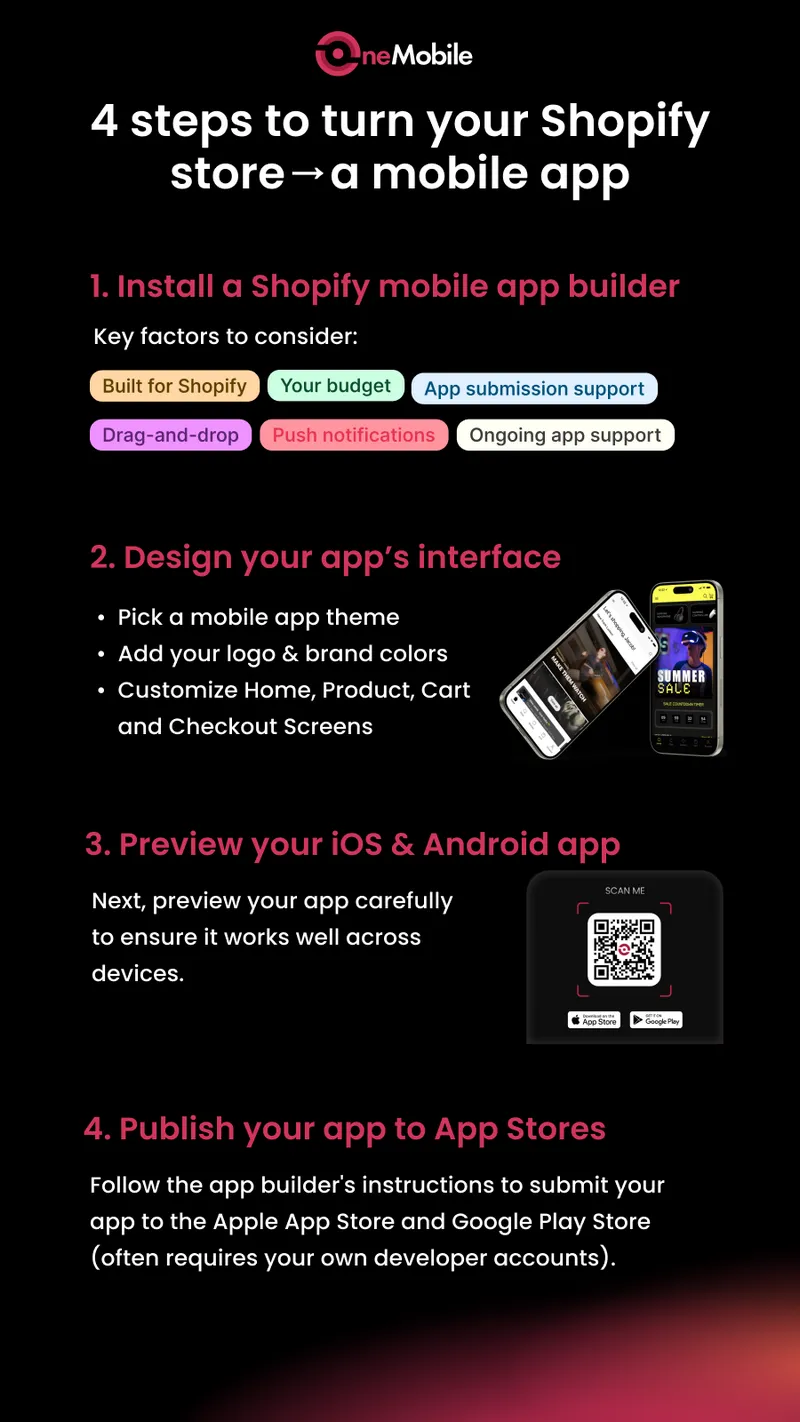
If you’re in a hurry, have a look at this infographic on the 4 crucial steps to convert your Shopify store into a mobile app:
Step 1: Install a Shopify mobile app builder
Start by choosing a reputable Shopify mobile app builder from the Shopify App Store. Look for an app that includes all the essential features (which we will discuss in detail in the next section).
Popular options include OneMobile, Tapcart, Vajro, Shopney, and Plobal Apps.
Once installed from the Shopify App Store, the builder will ask for permission to connect to your store. After that, it will automatically:
- Import your product catalog
- Sync collections, variants, pricing, and inventory
- Begin pre-configuring navigation and app settings
Most builders offer a guided onboarding flow, so no coding or technical setup is needed.
💡 Tip: You can use a free trial to explore the builder’s features before committing.
Step 2: Customize your app design
After installation, the next phase is customization. This is where your app begins to take shape. You can:
- Select a layout template suited to your brand. Most builders offer mobile-optimized templates tailored for different industries, such as fashion, food, beauty, or fitness – allowing you to start with a layout that feels familiar and effective.
- Customize colors, upload your logo, choose fonts, and organize your homepage with promotional banners, featured products, countdown timers, and more to match your store.
- Build out your pages, such as the home screen, product listing pages, and navigation menu.
- Add visual elements like banners, sliders, countdown timers, or featured collections
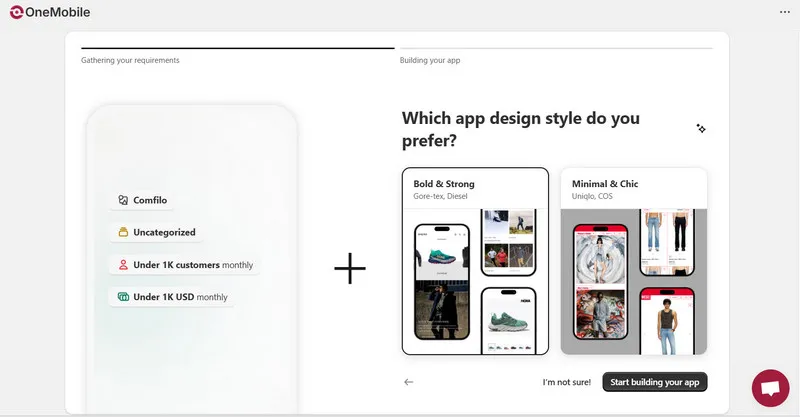
Best practice: Keep it clean and scannable. Since mobile users scroll fast, you should focus on key products and promotions up front.
You’ll also want to enable key features at this stage:
- Push notifications
- Loyalty or VIP programs
- Search & filters
- Live chat or chatbot integrations
- App-only discount banners or flash sales
Step 3: Preview your app on iOS and Android devices
Before launching, you should test the user experience on both iOS and Android. Most app builders make this easy with:
- QR code preview links
- In-app preview mode
- TestFlight (Apple) and APK download (Android)
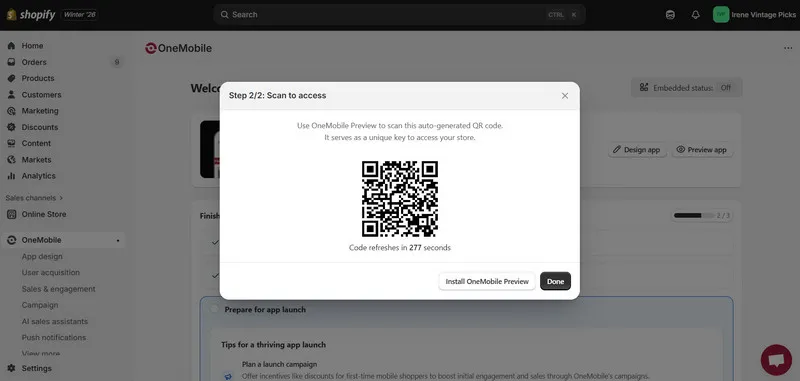
Pay attention to the following elements during your review:
- Navigation menus and product browsing
- Cart and checkout flow (including promo codes, taxes, shipping)
- Account login, sign-up, and order history
- Push notification delivery and display
- Load speed and responsiveness
During the review process, you might uncover common issues such as image sizing inconsistencies, button overlaps on small screens, or checkout bugs (noting that some builders use Shopify’s web checkout while others embed it directly).
Additionally, if your builder includes built-in analytics, it is essential to trigger a few test events, such as ‘add to cart’, to ensure they are being tracked correctly.
Step 4: Publish your app to the App Store and Google Play Store
Once you’re satisfied with design and performance, it’s time to go live. Your builder will guide you through the publishing process, and may even do most of it for you.
You have two ways to go about this:
Option 1 – Publish under your own developer accounts:
- Apple Developer Account ($99/year)
- Google Play Developer Account ($25 one-time)
Option 2 – Let the builder publish under their developer account:
- Faster and easier, especially for first-timers
- Some platforms later help you transfer the app to your own account
You’ll need to prepare:
- App icon and splash screen (builder often generates these)
- Screenshots for app store listings
- Description and keywords
- Privacy policy and terms of service
Once everything is ready, the approval process begins. For iOS, Apple’s App Store typically takes between 2 – 5 business days to review and approve an app. On the Android side, Google Play is usually faster, often approving submissions within 1 – 2 days, and sometimes even the same day.
What features to look for in a Shopify mobile app builder?
There are quite a few Shopify mobile app builders out there. That said, to find the best one for your store, remember to identify your must-haves early and eliminate those that don’t meet them.
For instance, when looking for a Shopify mobile app builder, here are some features you should expect:
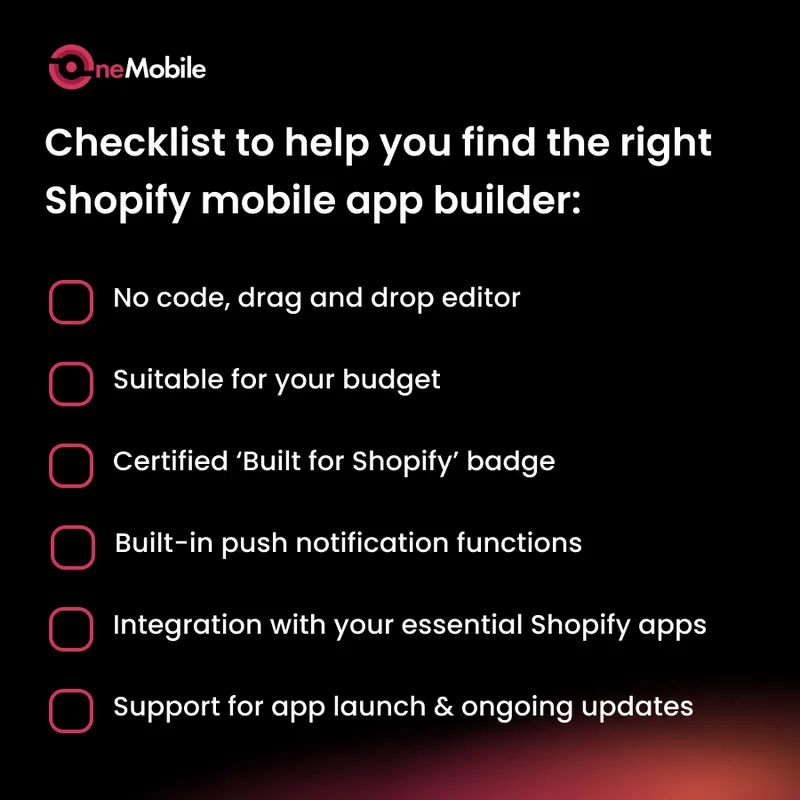
- No-code, drag-and-drop editor: Visual editor that lets you customize layouts, rearrange sections, and preview changes in real time – all without writing code.
- Suitable for your budget: The builder should offer flexible plans that match your current needs, without forcing you into expensive upgrades just to access basic features.
- Certified ‘Built for Shopify’ badge: This badge means the app builder has been reviewed and approved by Shopify for quality, performance, and integration.
- Built-in push notification functions: Your builder should support scheduled messages, automation (like abandoned cart reminders), segmentation, and deep linking.
- Integration with your essential Shopify apps: Your app should integrate smoothly with tools like loyalty, reviews, subscriptions, and upsells.
- Support for app launch & ongoing updates: App submission can be tricky, but a good builder will guide you through it and provide ongoing support after launch.
Brands that have successfully converted their stores into apps
Many Shopify merchants have already experienced the benefits of going mobile, especially through no-code app builders like OneMobile. Here are three real-world success stories you simply can’t miss.
1. BM Corner
BMCorner is a home-based Vietnamese kitchen on Australia’s Gold Coast, founded by Anna Dao. As orders grew, she noticed mobile users wanted a faster, easier ordering experience.
But the challenge is, her website couldn’t deliver a smooth mobile experience, and she lacked the time or budget for custom app development.
So she decided to use OneMobile to turn her Shopify store into a mobile app within weeks.
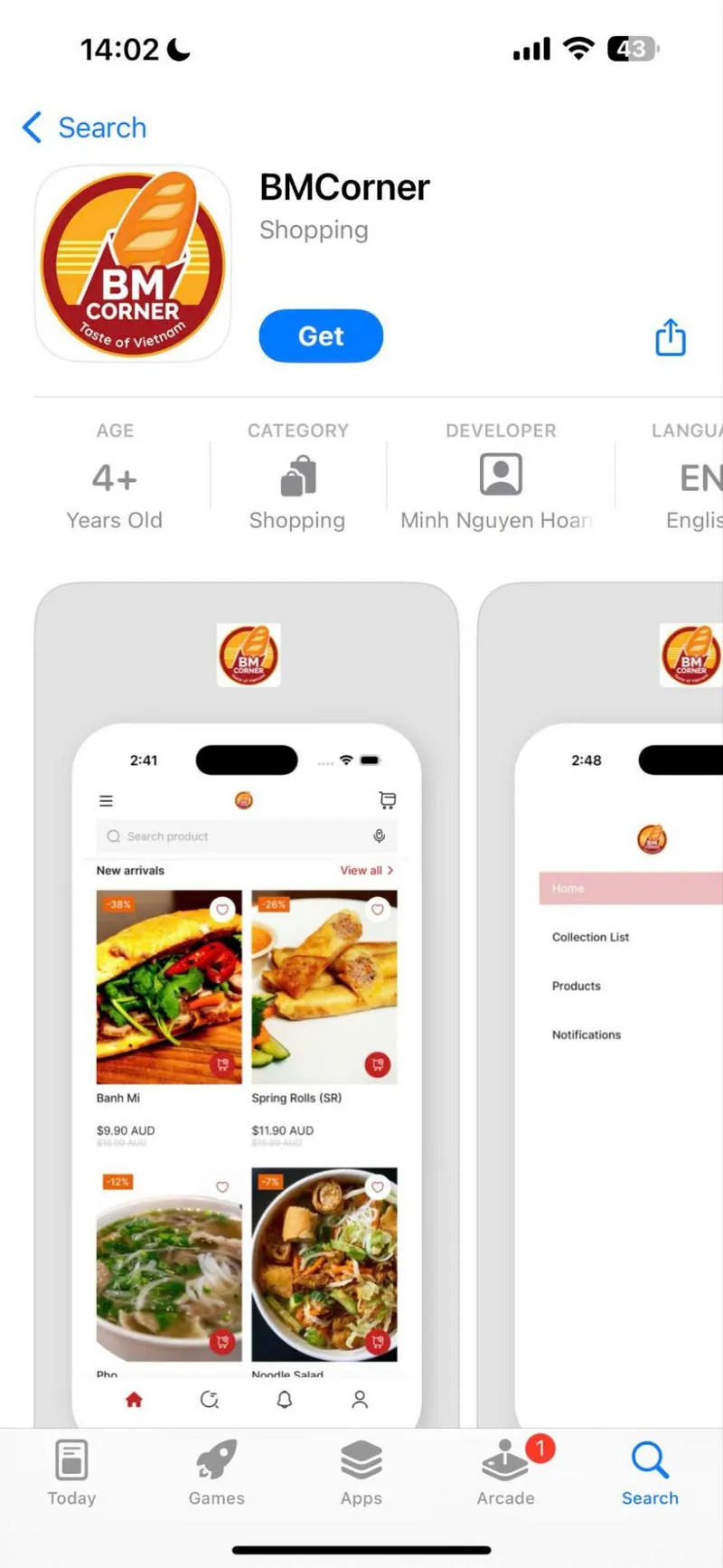
Choosing the right app builder as a long-term partner was the turning point that drove her business to new heights:
- 200 app downloads in the first month, now over 1,300+ users.
- $5,000+ in mobile app sales in just 30 days.
- Achieved a 30% customer retention rate.
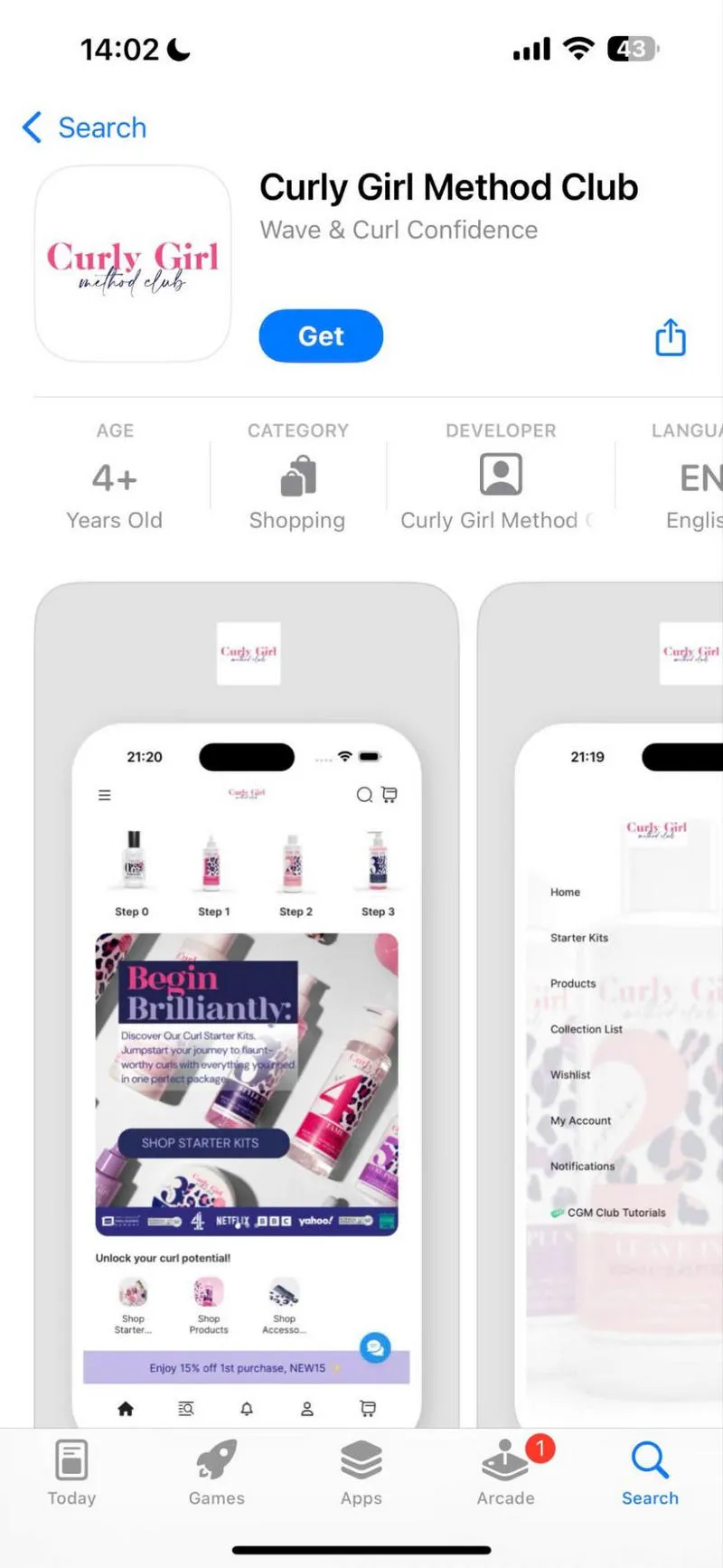
2. Curly Girl Method Club
Curly Girl Method Club is a haircare brand for people with curly hair. Its founder, Heather, wanted to build stronger, more direct connections with her community. While email and social media helped, they lacked the personal touch she envisioned.
Similar to the previous case, customers were shifting to mobile, but the web store wasn’t converting as well. Engagement felt distant, and building a custom app seemed too complex.
Then she discovered OneMobile and launched a fully branded app without coding. The results:
- 40% of total sales now come from the app.
- AOV is higher on the app than on the website.
- Push notifications made engagement feel personal and immediate.
3. San Benedetto Collections
Another standout success story is about Luis and Camilia Gonzalez, who run San Benedetto Collections, a faith-based brand selling handcrafted Catholic items from Italy. With a growing global customer base, they needed a faster, more intuitive mobile experience.
In the early stages, their website wasn’t mobile-optimized, and managing products and promotions was time-consuming.
After exploring various ways to provide a more convenient shopping experience, they decided to launch a OneMobile-powered app that simplified operations and elevated the shopping journey.
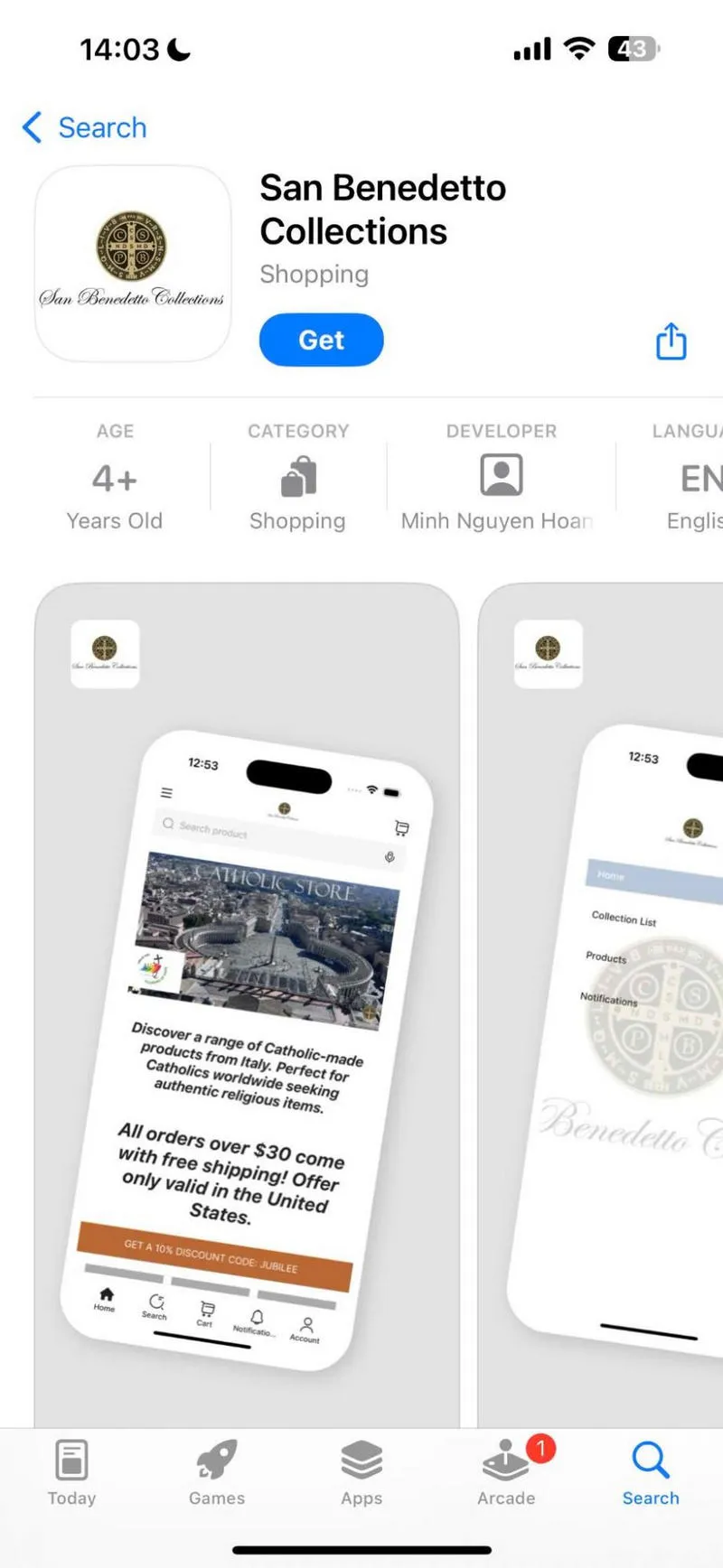
The results were really rewarding:
- 65% increase in app downloads and visits.
- Easier product updates and promo launches.
- More time to focus on curating meaningful, high-quality items.
- Responsive support gave them confidence to scale.
Reflecting on their mobile journey, they shared with pride: “It’s faster, more personal, and lets us focus on what we love most.”
Frequently asked questions
1. How much does it cost to build and maintain a Shopify mobile app?
Shopify mobile app pricing can cost from $29 to $10,000 per month, depending on your app development solution.
2. Can I launch a mobile app if I’m on Shopify Basic?
Yes, you can. Most Shopify mobile app builders support the Shopify Basic plan.
3. How long does it take to launch a Shopify mobile app?
From 1 week to 6 months, depending on your app development approach:
- With mobile app builders: 1–4 weeks
- With custom mobile app development services: 3–6+ months
4. Will my existing Shopify apps (loyalty, reviews, tracking) work inside the mobile app?
It depends. That’s why you should check whether the mobile app builder supports integration with your must-have Shopify apps or not.
5. Is the Shop App the same as a Shopify mobile app?
No. The Shop App is a general customer-facing shopping platform for all Shopify stores. Meanwhile, your own app is branded, customizable, and fully under your control.

Thuan Do
SEO Specialist
“An SEO specialist with over 5 years of experience. With a strong background in digital marketing and a focus on mobile-first and SaaS products, Thuan has led SEO strategies that drive consistent traffic, boost visibility, and support scalable growth. His expertise spans keyword research, content optimization, technical audits, and performance tracking”
Table of Contents
Table of Contents
Read more articles
Top 11 Shopify Mobile App Builders in 2026: Features, Pricing & Reviews
By Thuan Do
February 3, 2026

OneMobile is Built for Shopify: A Mark of Excellent Quality
By OneMobile Team
February 2, 2026





