

You might think that web apps are just a more ‘pro’ version of websites with more functionality. In some ways, that’s true. However, the differences between web apps and websites go beyond just that.
Specifically, a web app and a website are as different as chalk and cheese in many aspects, from how they’re built, how users interact with them, and most importantly, the types of use cases they’re best suited for.
But don’t worry! In this guide, we’ll break down the key differences between these web apps vs websites, clear up common misconceptions, and help you identify which option makes the most sense for your goal and project type.
What is a web app?
A web app is an interactive software application that runs directly in your browser, requiring no download or installation. Unlike a typical website, it is designed to perform functions and respond to user inputs rather than simply present information.
Web apps process data in real time and typically require authentication to deliver a personalised, user-specific experience.
Popular web app examples
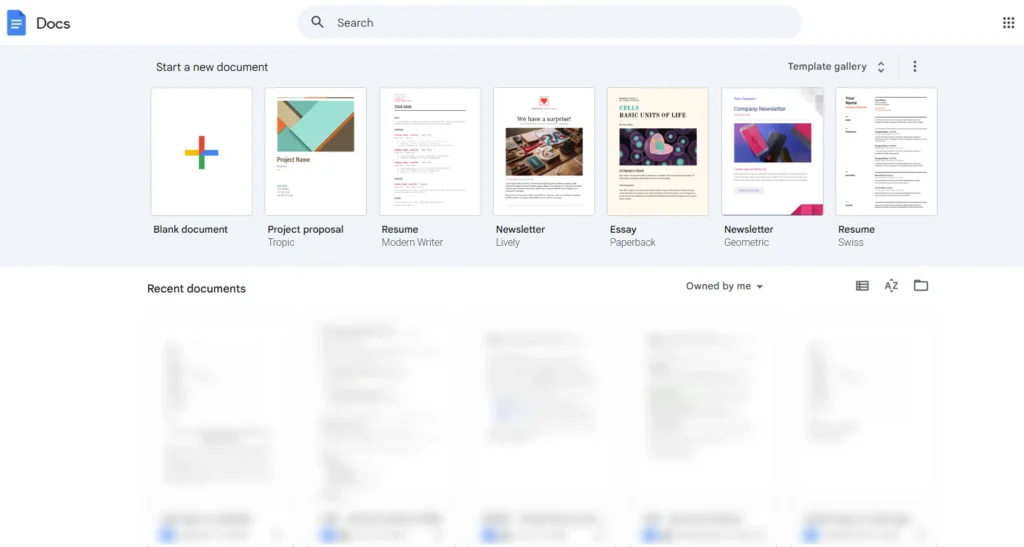
- Google Docs: A collaborative word processor that allows multiple users to edit the same document simultaneously, with changes reflected instantly across all sessions and saved automatically to the cloud.
- Web Gmail: A browser-based email platform where users compose, send, organise, and search messages in real time. It processes user data continuously and adapts the interface based on actions like filtering, labelling, and threading.
- Trello: A project management platform that lets teams organise tasks using interactive boards and cards. Users can move tasks across stages, assign members, set deadlines, and track progress, all within a single dynamic interface.
What is a website?
A website is a collection of interconnected web pages hosted under a single domain, built primarily to present information to visitors. Websites serve as the foundation of most online presences, from corporate portals and editorial publications to portfolios and product landing pages.
Their primary purpose is to inform, attract, and guide visitors rather than enable them to perform complex tasks or process personalised data.
Popular website examples
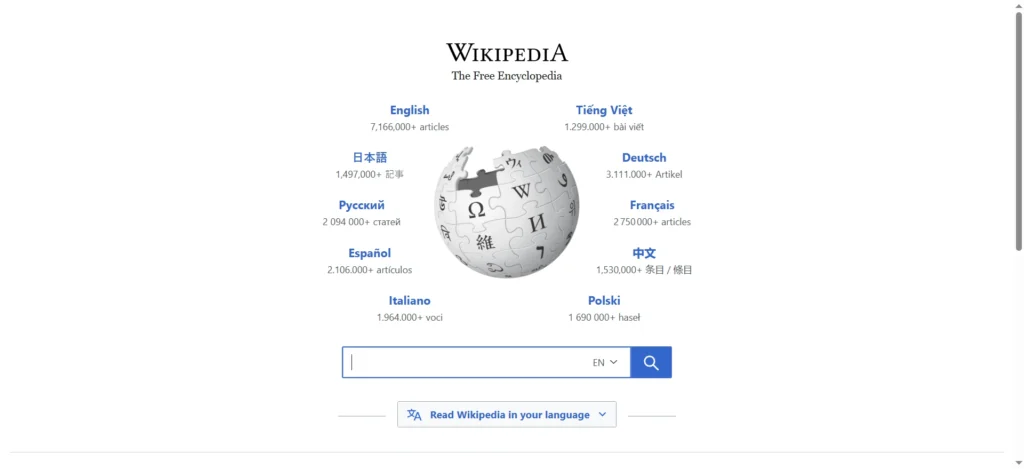
- Wikipedia: An encyclopaedia-style website where visitors look up information across an extensive range of topics. The experience is purely informational. Users read and navigate between articles but do not perform tasks or interact with personalised data.
- BBC News: A media website delivering news articles, video content, and editorial updates. Visitors consume published content without engaging in any task-based functionality within the platform.
- Notion’s marketing site (notion.so): A corporate website that presents Notion’s product offering, pricing plans, and resources to prospective users. It is entirely separate from the Notion web app itself, which lives behind a login and operates as a fully interactive platform.
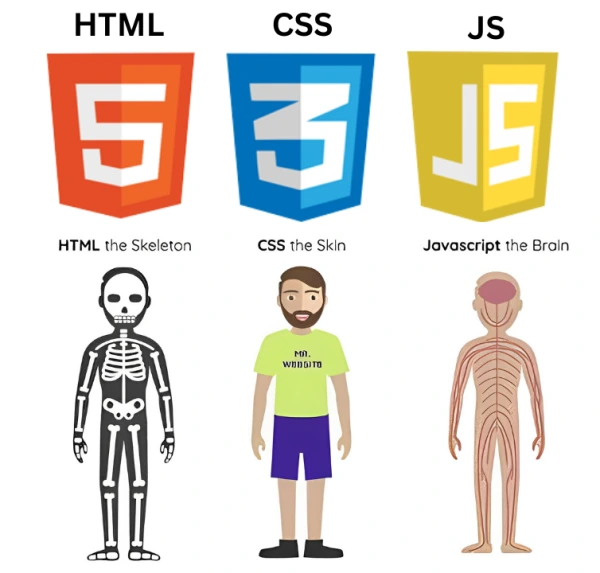
Similarities between web app and website: HTML, CSS, JavaScript
Despite their differences, web apps and websites are built on the same foundational technologies: HTML, CSS, and JavaScript. HTML provides the structure, CSS handles the visual presentation, and JavaScript powers interactivity. Whether you are browsing a news website or using a project management tool, these three languages are working together behind the scenes.
Both web apps and websites also rely on browsers as the delivery environment. Neither requires installation, both are accessible via a URL, and both depend on an internet connection to function.
From a hosting and deployment standpoint, the process is largely the same as well. They both live on remote servers, are accessed through standard web protocols, and can be built using many of the same development frameworks like React, Angular, Vue.js, and Next.js.
It is also worth noting that the line between the two isn’t always clear-cut anymore. Many modern websites incorporate dynamic, app-like features, while some web apps include static, content-driven pages. This overlap is precisely why the two terms are so often used interchangeably, and why understanding their differences requires looking beyond the surface. That is exactly what we will do in the next section.
Web app vs website: Key differences highlights
Factor | Website | Web App |
Content and interactivity | Static or semi-static, one-directional | Dynamic, responds to user inputs in real time |
Functionality | Informational, limited actions | Task-oriented, complex operations |
Technology | CMS-based, minimal backend | Robust stack with backend, databases, and APIs |
Time to build | Days to a few weeks | Several months or more |
Cost | Lower investment | Higher development and infrastructure cost |
Maintenance | Straightforward, manageable in-house | Ongoing, requires technical expertise |
Discoverability |
SEO-friendly, easily crawled |
Harder to index, requires deliberate SEO strategy |
|
Authentication and user data | Rarely required, publicly accessible | Central to functionality, personalised experience |
1. Content and interactivity
This is perhaps the most fundamental difference between the two. Websites are primarily content-driven. In other words, they present information to visitors in a largely static format, and the visitor’s role is to read, browse, and navigate. User interaction with a website is limited to simple actions like clicking a link, submitting a contact form, or playing a video.
Web apps, on the other hand, are interaction-driven by design. The content itself changes based on what the user does. For example, when you filter a dashboard, submit a transaction, or collaborate on a document in real time, the interface responds and updates dynamically. The user is not just consuming content but actively engaging with a system that processes and responds to their inputs.
2. Functionality
Websites are designed to serve a relatively straightforward purpose: deliver information to a broad audience. The functionality is intentionally simple, focused on presenting content clearly and guiding visitors toward a desired action, such as making an inquiry or reading an article.
For example, you’re reading this article on onemobile.ai, which is a website as its core since our goal here is to help you find the information you need, not to process your data or manage your workflows.
Web apps are built around far more complex functionality. They are designed to execute tasks, automate processes, and handle data at a level that goes well beyond what a standard website can offer.
To name a few, a web app can process payments, generate reports, manage user permissions, or synchronise data across multiple users in real time.
3. Technology
Both web apps and websites use HTML, CSS, and JavaScript as their base. However, the technological complexity required to build and run a web app is considerably greater. Websites can often be built and maintained using content management systems (CMS) such as WordPress or Webflow, with relatively minimal backend infrastructure.
Web apps typically require a more robust technology stack. This includes server-side languages such as Python, Node.js, Ruby, or PHP, database management systems, API integrations, and often complex frontend frameworks like React or Angular to handle dynamic state management.
The architecture has to support real-time data processing, user authentication, session management, and scalability, none of which a typical website needs to account for in the same depth.
4. Time
A straightforward website, such as a corporate landing page or a portfolio, can be designed and launched within days or a few weeks, depending on the scope and whether a CMS template is used.
Web apps require significantly more time from planning to deployment. The development process involves defining user flows, building and testing backend logic, integrating databases, and ensuring the application performs reliably under different conditions.
Even a minimum viable web app can take several months to build, and more complex platforms can take considerably longer.
5. Cost
Websites are generally more affordable to build and launch, particularly when using existing CMS platforms and templates. For many businesses, a well-designed website can be built without a large engineering team or significant infrastructure investment.
Web apps are considerably more expensive to develop. The cost reflects the engineering depth required: custom backend development, database architecture, security implementation, third-party integrations, and ongoing infrastructure.
For businesses evaluating the investment, it is worth understanding that the cost of a web app or website is not just in the initial build but in everything that follows, which brings us to the next point.
6. Maintenance
Websites are relatively straightforward to maintain. Content updates, design changes, and plugin or CMS upgrades are typically manageable without deep technical expertise, and many businesses handle this in-house.
Web apps demand ongoing, more involved maintenance. As the underlying technology evolves, dependencies need to be updated, security patches need to be applied promptly, and performance needs to be monitored continuously. Any change to core functionality requires thorough testing to avoid breaking interconnected features.
For web apps handling sensitive user data or financial transactions, maintenance is not optional but a continuous operational responsibility that needs to be factored into the long-term budget and resource plan.
7. Discoverability
Websites have a natural advantage when it comes to search engine optimization. Their content is largely static, structured around pages with clear URLs, headings, and metadata, all of which search engines are well-equipped to crawl and index. A well-optimised website can drive significant organic traffic over time.
Web apps are inherently harder to optimize for search engines. Much of their content is generated dynamically, rendered client-side, or locked behind authentication, making it difficult for search engine crawlers to access and index. This does not mean web apps cannot be discoverable, but achieving strong SEO performance requires deliberate architectural decisions, such as server-side rendering or the separation of a public-facing website from the app itself, as many SaaS products do.
8. Authentication and user data
Most websites do not require users to log in or identify themselves. Content is publicly accessible, and there is no need to store or manage individual user data beyond basic analytics.
Web apps are almost always built around user identity. Authentication is central to how they function, as the application needs to know who you are in order to retrieve your data, enforce permissions, and deliver a personalized experience.
Common myths about web app and website
Before making a decision about which one is right for your project, it is worth addressing a few misconceptions that tend to cloud the conversation.
Myth 1: A web app is just a website with more features
This is probably the most common misconception. While it is true that web apps tend to be more feature-rich, the difference goes deeper than that.
A website and a web app are fundamentally different in purpose, architecture, and user experience. One is built to present information, the other to enable action. Adding a contact form or a live chat widget to your website does not make it a web app.
Myth 2: Web apps are always more expensive than websites
While web apps do tend to require a greater initial investment, cost is ultimately determined by scope and complexity, not category. A highly customised, content-heavy website with advanced integrations can cost significantly more than a focused, well-scoped web app built on modern tooling.
So, the more useful question to ask here is not which type costs more, but what you are actually trying to build and what it will take to build it well.
Myth 3: Web apps are native app
There is a misconception that web apps are mobile apps. However, the truth is that web apps are different from native apps.As we have discussed above, web apps run entirely within a browser, require no installation, and are accessible across devices and operating systems simply via a URL.
Native apps, on the other hand, are software applications built specifically for a particular operating system, such as iOS or Android, and are downloaded and installed directly onto a device through an app store. This grants native apps deeper access to device hardware and system features like the camera, GPS or push notifications.
Myth 4: Web apps and websites can’t work offline
It is commonly assumed that because web apps and websites are browser-based, they are entirely dependent on an internet connection to function. This is no longer entirely true. Progressive Web Apps, more commonly known as PWAs, have changed that assumption.
A PWA is a web app built using modern browser capabilities that allow it to cache content, work offline or in low-connectivity environments, and even be installed on a device’s home screen, much like a native app. Google Maps, Spotify, and Starbucks all use PWA technology to deliver reliable experiences regardless of connection quality.
So while traditional websites and web apps do require connectivity, the technology has evolved to the point where that limitation is no longer absolute.
Should you choose a web app or a website?
Now that we have covered the key differences and cleared up some common misconceptions, the more practical question is: which one is actually right for your project? The honest answer is that it depends on what you are trying to achieve.
Choose a web app if
- You need users to log in and access a personalised experience based on their data or preferences
- Your product is built around completing tasks, such as managing projects, processing transactions, or collaborating in real time
- You are building a SaaS platform, an internal business tool, or any product where functionality is the core value proposition
- Your users need to interact with dynamic data that updates based on their inputs or external sources
- You are planning to scale a product that requires user accounts, permissions, and data management
Choose a website if
- Your primary goal is to present information, build brand presence, or drive organic traffic through search engines
- You are creating a marketing site, portfolio, blog, news publication, or corporate portal
- Your audience needs to find and consume content without needing to log in or complete complex tasks
- You are working with a limited budget or timeline and need to launch quickly without heavy engineering investment
- Discoverability and SEO performance are central to your growth strategy
Choose a hybrid approach (both) if
A hybrid approach combines a public-facing website with a web app, giving you the best of both worlds. It is the model most modern SaaS and digital products follow. Consider this route if:
- You are a SaaS business that needs a content-driven marketing site to attract users and a fully functional web app to serve them once they sign up
- You want to leverage SEO for top-of-funnel visibility while offering a rich, interactive experience behind a login
- Your product has both a public-facing side, such as a blog, documentation, or landing pages, and a private, task-oriented side for authenticated users
- You are building a platform where some features are publicly accessible and others require deeper interaction or personalisation
Final words
Understanding the difference between a web app and a website is not just a technical exercise. It is a decision that shapes how you build, what you invest, and how your users experience your product. Both have a clear role to play, and the right choice comes down to what you are trying to achieve. If you are looking to inform and attract, a website is your foundation. If you are looking to enable and retain, a web app is your engine. And for many businesses, the smartest move is to invest in both.
One final note: if you are running an eCommerce store on Shopify and are looking to extend your reach beyond the browser, OneMobile makes it straightforward to build a native mobile app directly from your existing store, no complex development required. It is worth exploring if mobile is the next step in your growth strategy.
Frequently asked questions
1. Is Facebook a website or a web app?
It depends.
- Facebook is a web app when accessed through a browser. It operates within an authenticated session, updates your feed dynamically, and responds to your actions in real time.
- When you use Facebook through the dedicated iOS or Android application, that is a native app, built specifically for each operating system and distributed through the App Store and Google Play.
2. Are web apps available in app stores?
No, web apps cannot be listed in the Apple App Store or Google Play Store. Only native apps and hybrid apps can be listed on said platforms.
3. What is a “Single Page Application” (SPA)?
A Single Page Application loads a single HTML page and dynamically updates its content as the user interacts with it, rather than reloading the entire page with each action. The result is a faster, more fluid experience that closely resembles a native app. React, Angular, and Vue.js are the most widely used frameworks for building SPAs.

Alexandre Le
Content Specialist
“I'm Alexandre Le - a marketer with 5+ years of hands-on experience in the eCommerce industry. I want to use my expertise and personal perspectives to produce insightful blog posts that help online store owners to launch, run, and scale up their businesses successfully.”
Table of Contents
Table of Contents
Read more articles
What is a PWA? A Complete Guide to Progressive Web Apps
By Alexandre Le
April 13, 2026
Mobile App vs Responsive Mobile Website: Differences & Use Cases
By Alexandre Le
April 13, 2026





