
Over 60% of online traffic now comes from mobile, and if you’re launching a new product, one question matters most: mobile app vs website – which should you build first?
It’s not just a tech choice; it’s a strategy. One can put you in your customer’s pocket. The other can open you up to the entire internet. Make the wrong move too early, and you could burn time, money, or both.
In this guide, we’ll break things down clearly and simply – no buzzwords, just straight answers – so you can choose what’s right for your goals.
Mobile app vs mobile website: The core definitions
Before we compare app versus website, let’s make sure we’re on the same page about what each one actually is.
What is a mobile app?
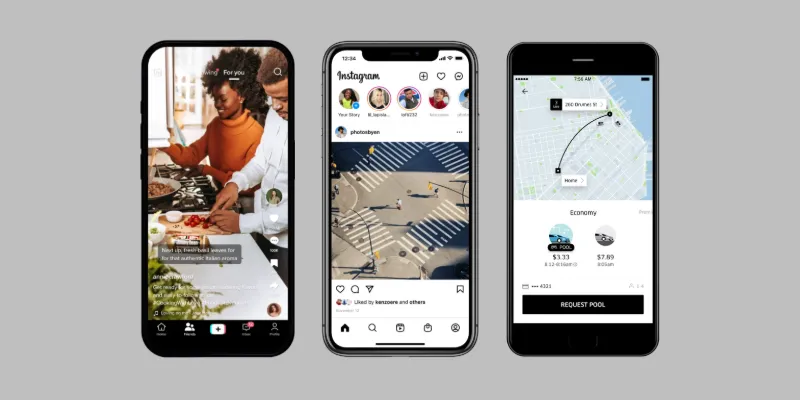
A mobile app is something people download and install on their smartphones or tablets. You’ll find these in app stores like the Apple App Store or Google Play. Apps can work offline, send push notifications, and often feel faster and more responsive because they’re built specifically for mobile devices.
What is a mobile website?
A mobile website, also known as a responsive website, is a website designed for smaller screens, touch navigation, and faster load times on smartphones and tablets.
These sites prioritize essential content, feature larger buttons, and offer easy-to-use layouts, ensuring a better user experience for people on the go compared to viewing full desktop sites.
Common examples: News platforms, restaurant menus, portfolios, and online stores you visit by clicking a link or doing a quick search.

What about web apps?
And there, we have web app, which you can think of as a more ‘upgraded’ version of a website.
Technically, while websites are primarily informational, displaying static content to users, web applications are interactive software tools that allow users to perform tasks, manipulate data, and receive tailored experiences.
What is the key difference between mobile app and responsive website?
Before we dive deeper, here’s a quick side-by-side comparison of mobile apps vs websites, and Progressive Web Apps (PWAs) to help you see the key differences at a glance.
|
Aspect |
Mobile app |
Mobile website |
|
User experience |
Smoother, faster, and more personalized experiences |
Simple, accessible and easy to download |
|
SEO and marketing reach |
Harder to discover, but stronger retention |
Easier to find, search, and reach |
|
Analytics and tracking |
Integrating with tracking tools can require technical know-how |
Easier to implement tracking tools |
|
Security and privacy |
More control over users’ secured information |
Most websites encrypt data and keep information safe when people visit your site |
|
Accessibility |
Take more effort to optimize your app for accessibility |
Strong support via web standards (WCAG) |
Now that you’ve seen the big-picture differences, let’s break each area down in more detail, so you can understand how these options stack up in real-world scenarios.
1. User experience & performance
When it comes to user experience (UX), the way your product feels and works matters just as much as what it does. This is where the app vs website comparison really starts to show some big differences.
Mobile app: Smooth, fast and personal
Apps are built specifically for mobile devices, so they’re usually faster and more responsive. They can:
- Load quickly and feel snappy
- Use device features like the camera, GPS, and notifications
- Work offline or with poor internet
- Offer a more personalized experience (like saving preferences or showing local deals)
If you want users to interact regularly or perform specific actions (like booking, scrolling, or messaging), apps often feel more seamless.
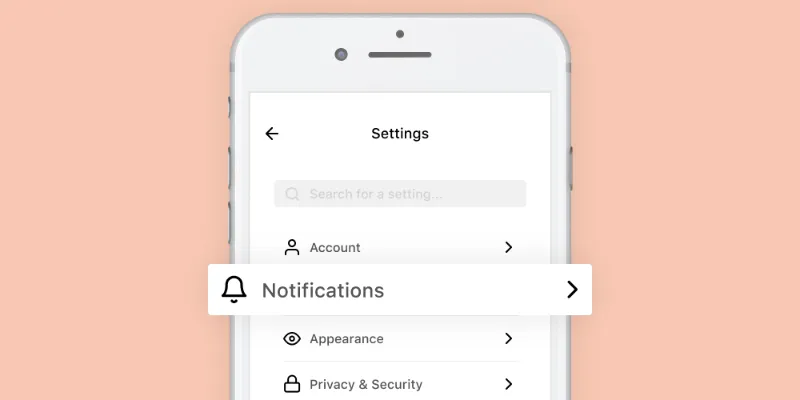
Mobile apps can use device features such as notifications.
Mobile website: Simple, accessible, no downloads
Websites can now be very mobile-friendly, especially with responsive design. They might not feel quite as fast or smooth as apps, but they:
- Work on any device with a browser
- Don’t require users to download anything
- Can be updated instantly without users needing to install new versions
- Are great for casual browsing, one-time visits, or content-heavy experiences
Websites are ideal if you’re looking to reach a wide audience quickly, especially new visitors who might not want to commit to downloading anything yet.
What’s the better experience?
- If you’re aiming for speed, loyalty, or frequent use, a mobile app offers the best experience.
- If you want to reach more people with less friction, a mobile website gets the job done.
2. Discoverability & marketing
It’s not enough to build something great – people need to find it. That’s where marketing and discoverability come in. Let’s look at how mobile apps vs websites stack up when it comes to getting in front of your audience.
Mobile website: easy to find, share, and search
One of the biggest strengths of a website is that it’s searchable. When someone Googles your business or a topic you cover, your site can show up in the results. That’s huge.
Websites also:
- Can be shared via links in emails, social posts, and ads
- Show up in search engines (great for SEO)
- Work on any device instantly – no install needed
If your goal is to attract new users or drive traffic from Google, a website is the clear winner.
Mobile app: harder to discover, but stronger for retention
Mobile apps live inside app stores, so people have to go there and search – or click a direct link – to find them. It’s not as easy as just Googling.
That said, once someone downloads your app, you’ve got powerful tools to keep them coming back:
- Push notifications
- In-app messages
- A permanent spot on their phone
Apps are great for keeping users engaged, but harder to market, especially if you’re starting from scratch.
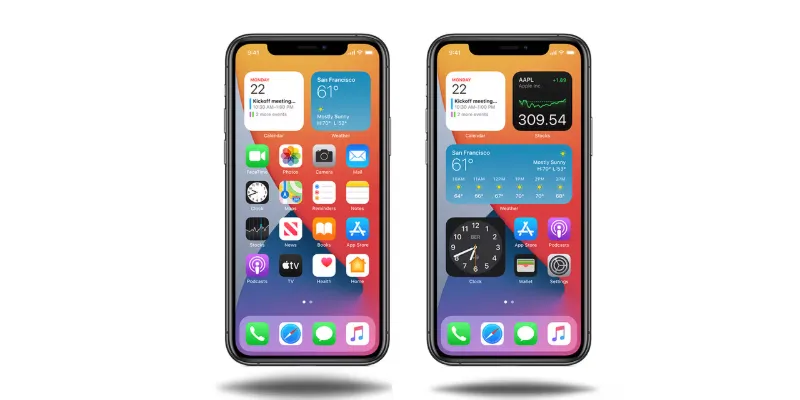
Mobile apps always occupy a spot on users’ homescreen.
What’s better for visibility?
- Want to reach more people quickly? Start with a responsive website.
- Want to build loyalty and ongoing engagement? An app gives you better tools.
Pro tip: Many businesses launch a website first to build awareness, then offer an app later to deepen the relationship.
3. Analytics & conversion tracking
Once your app or website is live, it’s important to know what’s working and what’s not. That’s where analytics come in. They help you track how people are using your product and whether they’re taking the actions you want, like signing up, purchasing, or coming back.
Mobile website: Easy to track, easier to optimize
Tracking what happens on a website is pretty straightforward. Tools like Google Analytics, Hotjar, or Meta Pixel let you:
- See where users come from (Google, ads, social)
- Track clicks, scrolls, time on site, and form submissions
- Test different versions of a page to improve performance (A/B testing)
All this data helps you make better marketing and design decisions fast.
Mobile app: Deeper insights, but more complex
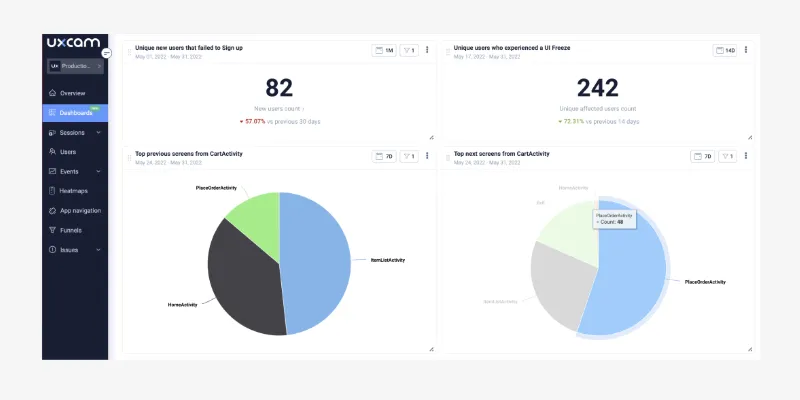
Apps can also track user behavior, but it takes a bit more setup. You’ll need app-specific analytics tools like Firebase, Mixpanel, or Amplitude.
With apps, you can:
- Track screen views, in-app purchases, and tap behavior
- Measure user retention and session length
- Get real-time insights into crashes or bugs
But it’s harder to run tests or make fast updates without releasing a new version through the app store.
Apps are a powerful channel to measure and nurture customer retention.
Which is better for tracking conversions?
- If you want quick access to data and fast experimentation, mobile websites are much easier to manage.
- If you need to analyze long-term user behavior inside your product, apps give you more depth but require more effort.
4. Security & privacy
Mobile apps are generally considered more secure than mobile websites due to stricter app store vetting, enhanced OS-level security (like sandboxing), and better encryption methods.
While responsive websites offer convenience and rely on secure browser protocols, apps provide superior data protection for sensitive tasks, provided they are downloaded from official stores.
Mobile website: Built-in standards, easier to audit
Most websites today use HTTPS – that little padlock icon you see in the browser. It helps encrypt data and keeps information safe when people visit your site.
Websites are also easier to:
- Scan for security issues using free or low-cost tools
- Keep up to date with patches and fixes
- Inform users about cookies and privacy policies
If you’re collecting emails, handling payments, or tracking behavior, it’s important to stay compliant with rules like GDPR or CCPA. Luckily, many website builders and platforms make this easier to manage.
Mobile app: More control, more responsibility
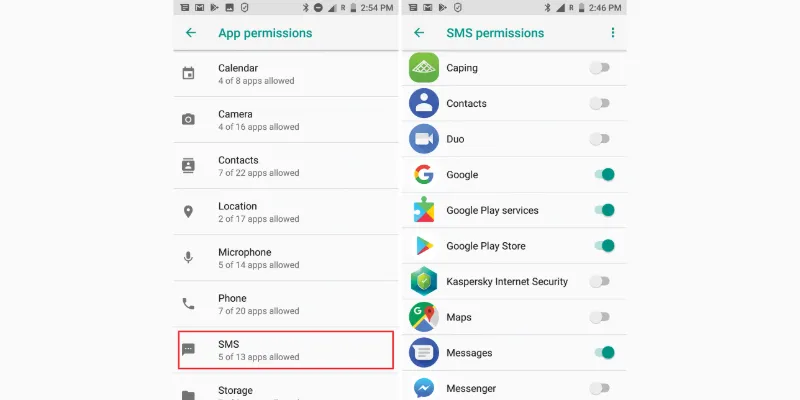
Apps give you deeper access to a user’s device, like their location, camera, or contacts. This makes them powerful, but also riskier if not handled carefully.
App users often need to:
- Give permission for each feature (like location or push notifications)
- Trust that their data is stored and used responsibly
- Be clearly informed about what’s being collected and why
Also, both Google Play and the App Store have strict rules for apps that collect personal information and failing to follow them can get your app removed.
App users can give permission to only features they want to.
Which one is safer?
- Websites are easier to keep secure and transparent, especially for smaller businesses.
- Apps offer more control, but also demand stricter privacy planning and ongoing maintenance.
5. Accessibility & inclusivity
Making sure your app or website can be used by everyone – including people with disabilities – isn’t just the right thing to do, it’s also smart for business.
Let’s look at how app vs website choices impact accessibility and inclusivity.
Mobile website: Strong standards, widely supported
Websites can follow accessibility guidelines like WCAG to ensure people using screen readers, keyboard navigation, or assistive tech can still access your content.
Modern websites can be designed to:
- Use readable fonts and high contrast
- Include alt text for images
- Make buttons and forms usable without a mouse
- Work on different screen sizes and browsers
Plus, most browsers and accessibility tools are built to support these features right out of the box.
Mobile app: More customization, more work
Apps can also be accessible, but it takes more effort. Developers need to build with accessibility in mind from the start, including:
- VoiceOver or TalkBack compatibility (for iOS and Android)
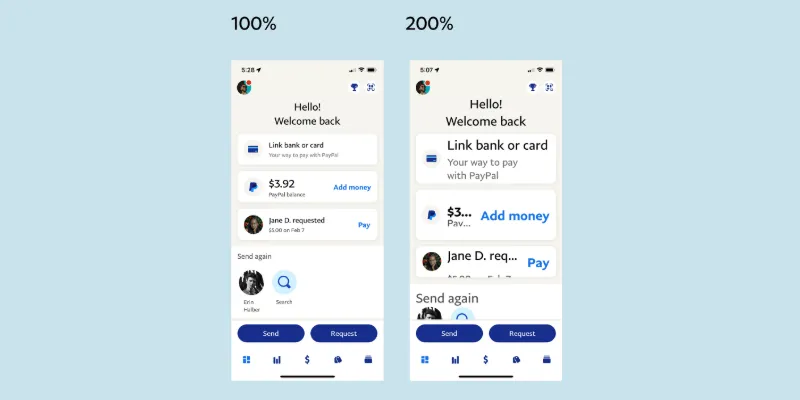
- Dynamic text resizing
- Gesture alternatives for users with limited mobility
- Clear navigation and simple layouts
The upside? Apps can be highly tailored for specific user needs. The downside? It’s easier to overlook accessibility if it’s not a core part of the design process.
Which one is more inclusive?
- If you want broad accessibility out of the box, mobile websites have more built-in support.
- If you’re building something long-term and are ready to invest in inclusive design, apps can be just as accessible with more control.
Use cases: When to build what first
Still wondering which to choose: app vs website? Let’s make things easier by looking at real-world scenarios. Depending on what kind of product or service you’re offering, the answer can be pretty clear.
Content-driven business (e.g. blog, media, services)
→ Build a responsive website first.
You want people to find you through Google, browse your content, and maybe sign up. A website is perfect for this – it’s searchable, easy to update, and low-cost.
Online store or marketplace
→ Start with a mobile website (or a PWA).
Customers are likely to discover you through search or ads. You need a fast, mobile-friendly site with great product pages and checkout flow. Add an app later to reward loyal buyers or offer personalized features.
Community or social platform
→ Go app-first.
If your success depends on daily engagement or push notifications (like a social network or chat app), a mobile app offers better tools for building habits and retaining users.
Lifestyle or fitness brand
→ App-first, or dual approach.
Apps are great for tracking progress, sending reminders, and providing a personalized experience. If your audience will use your product regularly, an app can build strong loyalty.
MVP or startup idea
→ Website first (keep it lean).
Testing a new idea? A website is cheaper and faster to build. You can validate your concept, attract early users, and only invest in an app once there’s real demand.
Still not sure? Use this quick rule:
Based on your goal, here’s what you should start with first:
- Reach most people quickly -> Website
- Build deep, long-term engagement -> Mobile app
- Unsure or want flexibility -> Progressive Web App (PWA) – which we’ll cover right next
Final thoughts
When it comes to app vs website, there’s no one-size-fits-all answer, but there is a right choice for where you are right now.
Here’s a quick recap:
- Build a responsive website first if you want to launch fast, reach more people, and test your idea affordably.
- Go with a mobile app if you need deeper engagement, push notifications, or offline access from the start.
- Try a PWA if you want a modern middle ground with great flexibility and lower cost.
The key is to start where your customers are and where your resources can take you. You can always expand later. Many successful companies started with just a website and added an app after gaining traction.
No matter what you choose, the goal is the same: create a great experience that solves a real need. Do that well, and your platform – app, website, or both – will follow.

Alexandre Le
Content Specialist
“I'm Alexandre Le - a marketer with 5+ years of hands-on experience in the eCommerce industry. I want to use my expertise and personal perspectives to produce insightful blog posts that help online store owners to launch, run, and scale up their businesses successfully.”
Table of Contents
Table of Contents
Read more articles
Web App vs Website: Similarities, Differences & Myths Debunked
By Alexandre Le
April 13, 2026
What is a PWA? A Complete Guide to Progressive Web Apps
By Alexandre Le
April 13, 2026





