
A Progressive Web App (PWA) is a type of website that delivers an app-like experience directly through the browser. It loads quickly, works offline, sends push notifications, and can be installed on your device – all without needing an app store. PWAs combine the speed and usability of native apps with the reach and accessibility of the web.
What is a Progressive Web App (PWA), and why is everyone talking about it? If you’ve ever used Twitter Lite or ordered coffee on Starbucks’ mobile site and thought it feels like an app – that’s a PWA in action.
Today’s users expect websites to load fast, work offline, and feel seamless on any device. Traditional websites can’t always keep up. Native apps? They’re costly and time-consuming to build.
That’s where PWAs come in. It bridges the gap between mobile app performance and the universal accessibility of the web.
This guide will help you understand exactly what a PWA is, how it works, and why it could be a game-changer for your business.
What is a Progressive Web App (PWA)?
A Progressive Web App (PWA) is a type of website that behaves like a mobile app. It loads quickly, works offline, sends push notifications, and can be installed directly from the browser – all using standard web technologies.
The term “Progressive Web App” highlights three key ideas:
- Progressive: It works for every user, regardless of device or browser, and becomes more powerful on modern platforms.
- Web: It uses standard web technologies such as HTML, CSS, and JavaScript.
- App: It feels and functions like a native application – from layout and interactions to speed and usability.
Key features of PWAs:
- Installable without needing app stores
- Offline-capable via smart caching
- Fast-loading and responsive on all devices
- Push notifications to engage users
- Secure by default (served over HTTPS)
- Accessible through regular web URLs
- Automatically updated in the background
Components and technologies of PWA
A PWA combines core web technologies to deliver a fast, reliable, and app-like experience, enabling features such as offline access, installation, and push notifications.
1. HTTPS (Secure protocol)
PWAs must be served over HTTPS, a secure communication protocol that encrypts the data exchanged between the user’s device and the server.
- Ensures data integrity and confidentiality
- Prevents unauthorized access or tampering
- Enables critical browser APIs such as service workers and push notifications
Purpose: Establishes a trusted, secure environment for users.
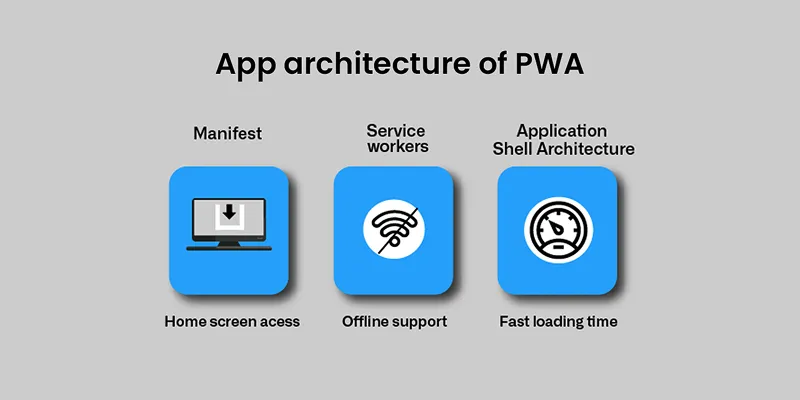
2. Service workers
A service worker is a background script that intercepts network requests and manages cached resources. It operates independently of the web page and enables several advanced capabilities.
- Supports offline functionality by serving cached content when the network is unavailable
- Enables push notifications to re-engage users
- Handles background data synchronization to keep content up to date
Purpose: Delivers a reliable and seamless experience, even in poor or no network conditions.
3. Web App Manifest
The Web App Manifest is a JSON file that provides essential metadata about the application. This includes:
- Application name and short name
- Icons for different screen sizes
- Start URL and display mode (e.g., standalone, fullscreen)
- Theme and background colors
The manifest enables browsers to prompt users to install the application to their home screen and launch it in an app-like interface.
Purpose: Makes the PWA installable and enhances its visual integration with the device.
Together, these three components form the technical foundation of a PWA. By adhering to these standards, developers can create web applications that are secure, installable, resilient, and capable of delivering app-like performance and engagement.
How PWA works
PWAs operate through a set of standardized web technologies and APIs that enable them to behave like native applications while being delivered via the web. The following outlines the key mechanisms that support this functionality:
1. Resource caching via service workers
When a user accesses a PWA for the first time, the application registers a service worker, which is a background script that intercepts network requests.
It selectively caches essential assets such as HTML files, stylesheets, JavaScript scripts, and media resources.
This allows the application to:
- Load significantly faster on subsequent visits
- Operate reliably under low or no connectivity conditions
- Deliver consistent user experiences regardless of network quality
2. Push notifications for user engagement
PWAs support push notifications through the Push API in combination with service workers.
Once permission is granted by the user, the application can send messages even when it is not actively running in the browser.
This functionality is commonly used to:
- Deliver real-time updates
- Re-engage users with time-sensitive content
- Notify users about new features, promotions, or transactional events
3. Home screen installation and app-like launch
Modern browsers detect when a web application meets the required criteria (e.g., valid manifest, secure context, service worker) and may prompt the user to “Add to Home Screen.”
Once installed, the PWA appears on the device like a native app and launches in a standalone window, omitting browser UI elements.
This installation capability eliminates the need for app store distribution and simplifies user access.
4. Secure context requirement (HTTPS)
PWAs are only functional when served over HTTPS, ensuring that all data transmitted between the client and server is encrypted and secure.
This secure context is essential not only for protecting user privacy but also for enabling advanced capabilities like:
- Service worker registration
- Push notifications
- Geolocation and other sensitive APIs
These foundational technologies work together to create a robust, app-like experience in the browser, while maintaining the flexibility, reach, and accessibility of the web.
Benefits of PWAs
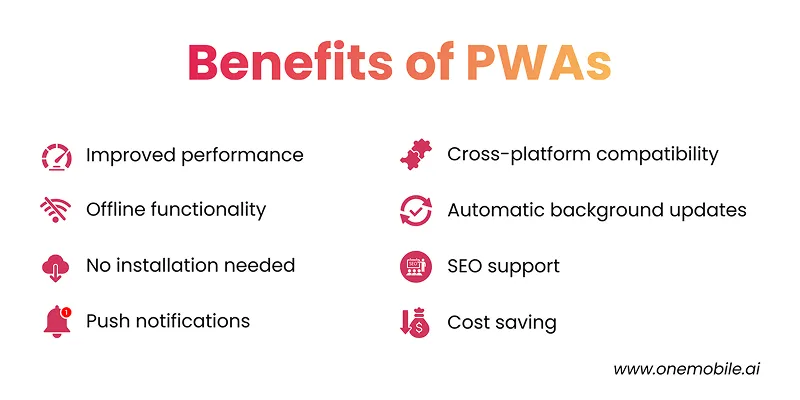
PWAs offer numerous advantages to both users and businesses by delivering native-like functionality through a standard web experience. Below are the key benefits of adopting a PWA:
1. Improved performance and speed
Thanks to intelligent caching via service workers, PWAs load significantly faster than traditional websites.
Once assets are cached, content can be served directly from the local device, reducing load times and enhancing responsiveness.
Impact: Faster experiences lead to lower bounce rates and higher user satisfaction.
2. Offline access and network resilience
PWAs support offline functionality by serving pre-cached content when a network connection is unavailable or unstable.
This ensures the application remains usable in low-connectivity environments – a critical advantage for users on mobile or in remote areas.
Impact: Continuous access regardless of connectivity strengthens reliability and trust.
3. Installation without an app store
Users can install PWAs directly from their browser, bypassing traditional app stores.
Once installed, the app appears on the home screen and launches in a standalone window, similar to native apps.
Impact: Reduces friction in the installation process and improves user retention.
4. Push notification support
PWAs can deliver push notifications to users, even when the application is not actively open.
This allows businesses to send timely updates, promotions, reminders, or personalized messages.
Impact: Increases user engagement and helps drive repeat interactions.
5. Cross-platform compatibility
PWAs are built using standard web technologies (HTML, CSS, JavaScript) and function across all modern browsers and operating systems.
A single codebase can serve users on mobile, tablet, and desktop.
Impact: Reduces development and maintenance costs while ensuring a consistent user experience across platforms.
6. Automatic background updates
Using service workers, PWAs can update in the background without user intervention.
This ensures users always access the latest version of the app without needing to manually install updates.
Impact: Enhances user experience and reduces friction for developers and end-users alike.
7. Search engine discoverability (SEO)
Unlike native apps, PWAs are indexable by search engines. Their URLs can be crawled and ranked in search results, making them more accessible to users searching for relevant content or services.
Impact: Improves visibility and organic reach without relying solely on app store discovery.
8. Lower development and maintenance costs
By enabling developers to write a single application that works across platforms, PWAs reduce the need to maintain multiple codebases for Android, iOS, and web.
Impact: Increases efficiency and decreases overall development time and expense.
Ultimately, PWAs represent a modern, efficient approach to web application development that enhances performance, engagement, and operational flexibility – benefiting both users and organizations.
PWA vs Native app vs Responsive website
When considering how best to deliver a mobile-friendly digital experience, businesses often evaluate three main options: PWAs, native applications, and responsive websites. Each approach has its strengths and trade-offs depending on your goals, audience, and resources.
The table below outlines the key differences across major criteria:
Feature | PWA | Native app | Responsive website |
Installation | Installable via browser, no app store required | Installed via App Store or Google Play | Not installable |
Offline functionality | Yes, via cached content and service workers | Yes, fully supported | No |
Push notifications | Yes (supported on most platforms) | Yes | No |
Performance | High performance with optimized caching | Highest performance (hardware-level integration) | Depends on network and page optimization |
Cross-platform compatibility | Works across all modern browsers and devices | Separate development required for iOS and Android | Universally accessible via browsers |
Development & maintenance cost | Lower (single codebase for all platforms) | Higher (multiple codebases required) | Lowest (but limited app-like capabilities) |
User discoverability (SEO) | Indexable and discoverable via search engines | Not indexable by search engines | Fully indexable |
Access to device features | Limited (varies by browser support) | Full access (camera, Bluetooth, sensors, etc.) | Very limited |
Update process | Automatically updated in the background | Requires user action or app store approval | Immediate updates when deployed |
App store presence | Not listed in app stores | Listed in Apple App Store/Google Play Store | Not applicable |
Summary:
- PWAs offer a balanced solution – blending the interactive features of apps with the flexibility and ease of the web. They are ideal for businesses seeking performance and engagement without the cost and complexity of native apps.
- Native apps are better suited for experiences that require deep device integration or high-performance graphics but involve higher development effort.
- Responsive websites are the most accessible and cost-effective, but lack the advanced functionality and engagement features that users expect in mobile experiences.
Real-world examples of PWAs
Many leading global companies have adopted PWAs to improve user experience, increase engagement, and reduce operational costs. Below are several notable examples that demonstrate the effectiveness of PWAs across different industries:
1. Twitter Lite

Objective: Enhance user experience in low-bandwidth regions.
Results:
- Reduced data usage by over 70%
- Increased number of tweets sent by 75%
- Loads in under 3 seconds on most devices
Twitter Lite delivers a near-native experience with fast load times and offline support, significantly improving engagement in emerging markets.
2. Starbucks
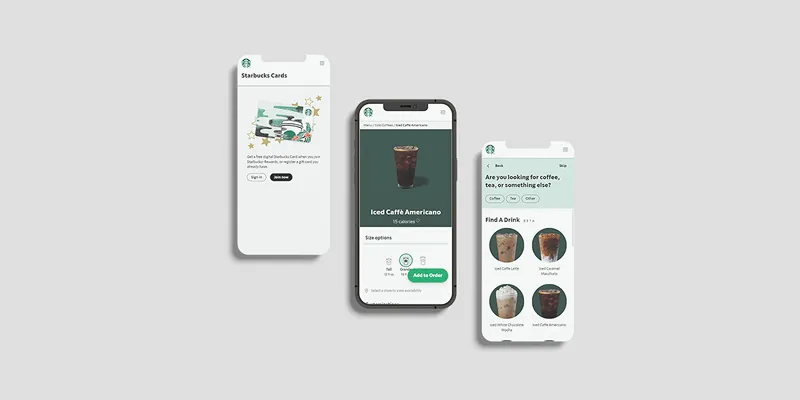
Objective: Offer a seamless ordering experience on mobile with limited connectivity.
Results:
- PWA is 99.84% smaller than the iOS native app
- Doubled daily active users
- Enabled ordering functionality while offline
Starbucks’ PWA provides a fast, responsive, and reliable interface for customers, especially in environments with poor connectivity.
3. Pinterest
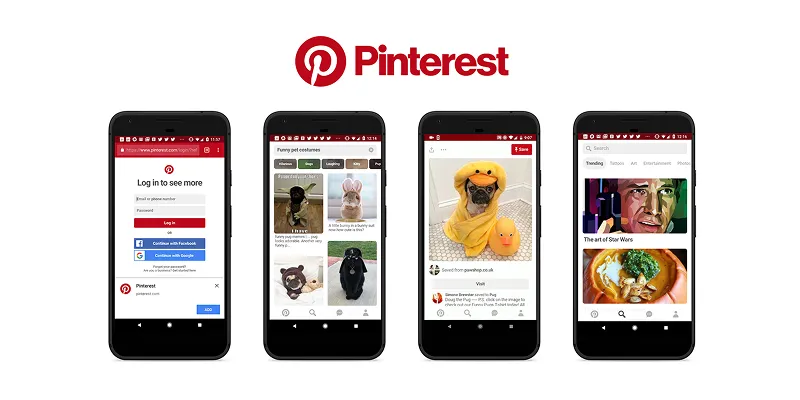
Objective: Improve performance and user retention on mobile web.
Results:
- Time spent on site increased by 40%
- Ad revenue increased by 44%
- User engagement increased by 60%
The PWA helped Pinterest deliver a smoother, more immersive experience, particularly on low-end devices.
4. Alibaba
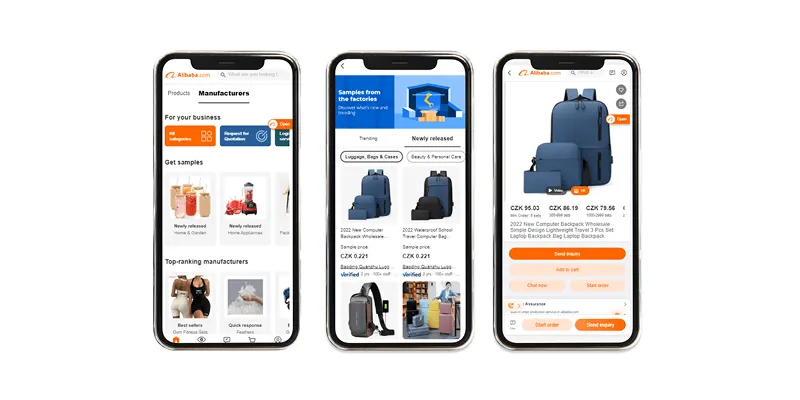
Objective: Increase mobile conversions and engagement.
Results:
- 76% increase in total conversions
- 4× higher interaction rate from mobile web users
Alibaba’s PWA approach bridged the gap between web reach and native performance, resulting in measurable business growth.
5. Telegram WebApp
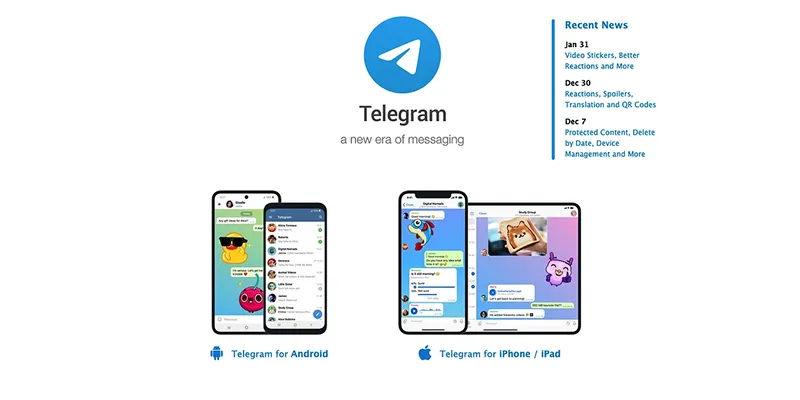
Objective: Provide a browser-based messaging experience without compromising performance.
Key features:
- Fast loading and responsive interface
- Synchronizes messages across devices
- Installable and accessible from any modern browser
Telegram’s web-based PWA showcases how even communication platforms can deliver app-quality experiences via the browser.
These examples underscore the versatility and performance benefits of PWAs across a wide range of use cases – from social media and ecommerce to food service and messaging.
Should you build a PWA?
Determining whether a PWA is suitable for your organization depends on your product requirements, audience behavior, and technical goals. PWAs are particularly effective when your focus is on reach, performance, and cost-efficiency.
Below is a decision framework to help assess whether a PWA aligns with your business and technical needs.
When a PWA is an ideal solution
- You want your website to load faster and feel smoother on mobile
- Your users are often on slow or unreliable connections
- You want to avoid the cost of building separate iOS and Android apps
- You want to send notifications to keep users engaged
- You’d like people to add your site to their home screen like an app
- Your current mobile site has high bounce rates or slow load times
- You want updates to go live instantly, without app store delays
When a native app may be more appropriate
- You need deep access to device features like Bluetooth, camera, or sensors
- Your product depends on intensive graphics or gaming performance
- You plan to rely heavily on app store visibility and reviews
- Your users expect an experience that feels completely native
Strategic consideration
PWAs offer a practical middle ground between a standard responsive website and a native mobile app. For many use cases – particularly ecommerce, content platforms, and service-based applications – a PWA delivers a compelling balance of performance, flexibility, and scalability.
Conclusion: If your goal is to maximize user reach, reduce development friction, and offer a modern mobile experience, investing in a PWA is a highly strategic choice.
How to get started with a PWA
Implementing a PWA does not require a complete rebuild of your existing website. In many cases, a modern web application can be progressively enhanced with PWA features by following a structured and incremental approach.
Below is a step-by-step guide to begin developing a PWA:
1. Ensure a mobile-optimized, responsive design
A PWA must offer a seamless experience across various screen sizes and devices. Begin by ensuring that your existing website is fully responsive and mobile-friendly, with accessible layouts and optimized performance.
Tip: Use tools like Chrome DevTools to test layout responsiveness and loading behavior on different devices.
2. Serve your application over HTTPS
PWAs require a secure context. This means your application must be served over HTTPS to enable service workers and other advanced browser APIs.
Most modern hosting providers offer free SSL certificates (e.g., via Let’s Encrypt).
3. Create and configure a Web App Manifest
The Web App Manifest is a JSON file that describes your application and how it should appear when installed. Key fields include:
- name and short_name
- icons (in multiple sizes)
- start_url
- display (e.g., standalone)
- background_color and theme_color
Place this file in your root directory and link it in your HTML <head>:
<link rel="manifest" href="/manifest.json" />
4. Implement a service worker
Register a service worker to control how your app handles caching and network requests. This is the core component that enables offline functionality and background updates.
Basic registration example in JavaScript:
if ('serviceWorker' in navigator) {
navigator.serviceWorker.register('/service-worker.js');
}
You can manually implement caching logic or use libraries such as Workbox to simplify the process.
5. Enable install prompt functionality
To allow users to install your PWA, ensure your app meets the installability criteria (valid manifest, service worker, HTTPS). Modern browsers will then display a native prompt offering users the ability to add your app to their home screen.
6. Implement push notifications (Optional)
To re-engage users, you can integrate push notifications via the Push API and Notifications API, with permission from the user. This requires configuring your service worker to handle background message delivery.
7. Test and audit with Lighthouse
Use Google Lighthouse, available in Chrome DevTools, to evaluate your application’s performance, accessibility, SEO, and PWA compliance. Lighthouse will highlight issues and suggest optimizations for better results.
8. Deploy and monitor
Once your PWA meets the required specifications, deploy it to a secure server and monitor user interactions, performance metrics, and update behaviors using analytics and performance tracking tools.
By following these steps, you can progressively transform a standard web application into a robust, installable PWA with minimal disruption to your existing architecture.
The bottom line
If you’ve been wondering what is PWA, now you know. PWAs are not just a trend – they’re a shift in how modern users expect to experience the web. Whether you’re launching a startup or scaling an enterprise platform, adopting a PWA can significantly improve performance, engagement, and reach. Start small, test impact, and evolve your web experience for the future.

Alexandre Le
Content Specialist
“I'm Alexandre Le - a marketer with 5+ years of hands-on experience in the eCommerce industry. I want to use my expertise and personal perspectives to produce insightful blog posts that help online store owners to launch, run, and scale up their businesses successfully.”
Table of Contents
Table of Contents
Read more articles

Web App vs Website: Similarities, Differences & Myths Debunked
By Alexandre Le
April 13, 2026
Mobile App vs Responsive Mobile Website: Differences & Use Cases
By Alexandre Le
April 13, 2026





